F5 Distributed Cloud - Customer Edge Source | Edit on
Class 3: [Day-1] CE - Secure and Protect Web Apps with WAAP
Objective:
Secure and Protect Application and API with WAAP
Note
Continiously protect and secure application and API with F5XC Web Application and API Protection
- Arcadia Financial
- Hipster Retail
- Bank of XC
For the purpose of the lab, below are the high level tasks
- Create a common App firewall policy in Shared namespace and consumed by all apps
- Create HTTP LB and apply common App Firewall policy
- Advertise HTTP LB (with HTTPS - domain ce.local) on CE
- Test and validate protected application.
Use the following wildcard certificate for all apps
ce.local certificate
-----BEGIN CERTIFICATE-----
MIIEjzCCAvegAwIBAgIUZCQYY1TGLNEKbtZU3N/MsY++n1EwDQYJKoZIhvcNAQEN
BQAwdjELMAkGA1UEBhMCQVUxETAPBgNVBAgMCFZpY3RvcmlhMRIwEAYDVQQHDAlN
ZWxib3VybmUxEjAQBgNVBAoMCUZPT0JaIExBQjELMAkGA1UECwwCSVQxHzAdBgNV
BAMMFkZPT0JaIEludGVybWVkaWF0ZSBDQTEwHhcNMjMwMjI4MjMwNTAyWhcNMjQw
MjI4MjMwNTAyWjBjMQswCQYDVQQGEwJBVTERMA8GA1UECAwIVmljdG9yaWExEjAQ
BgNVBAcMCU1lbGJvdXJuZTELMAkGA1UECgwCRjUxCzAJBgNVBAsMAlNFMRMwEQYD
VQQDDAoqLmNlLmxvY2FsMIIBIjANBgkqhkiG9w0BAQEFAAOCAQ8AMIIBCgKCAQEA
4VQJE9ECBS9wfcN9Xf9sMjW9gXl0g8YqI5nWKJiokPPv0Gk/2GJmGX1G+Ryc/H5+
TNcnY86gU1zmd9DnpHrBee8z9bFj9XNrvTXi+vqnfTTXOQlyBTyQMccB/PygHM1m
trQwOvJhZmp1iQsViFfMLuwH+kDKz+5PLVYFHf+QRMTOa1KEiCaVVm5anaHWe9Xx
HnnBn8QgqZr0s2ADZIeirUHN4ALEKs38NOmzorkzWRjFo6VwMGxI6oLhV4zqmJgD
4DzDgQ0HZ7UERK0Ry4P6iqHbrcFmcNahRqn+ME8YBRDjajNmcVo24Kubh6mLZ4dK
ZF2Vu3zUxLCyY0URAMoB8wIDAQABo4GnMIGkMB8GA1UdIwQYMBaAFMhcSKot1kWA
/Dhm1yrMSduZul88MAkGA1UdEwQCMAAwCwYDVR0PBAQDAgTwMBMGA1UdJQQMMAoG
CCsGAQUFBwMBMFQGA1UdEQRNMEuCDHdlYi5jZS5sb2NhbIIIY2UubG9jYWyCEGFy
Y2FkaWEuY2UubG9jYWyCEGhpcHN0ZXIuY2UubG9jYWyCDWJveGMuY2UubG9jYWww
DQYJKoZIhvcNAQENBQADggGBAF39ruyqVgog32u+VOTN9Y4snuOTk0BbbZC68fC3
5T3zStuoisdcXg5UGYtZW0xYvU9s8gNy0YLt93j829yNAIOAhAtTxbTftw58shy9
uDa/u7+dMsM9l2mnDVVF4e8a19LgAj8ji/H8NxaT6nnZN25H6QVwVpzEeripgKrP
mirKLD85lctXU/3wbWt7adTMQbX7DseIZPmGsXGvwtmjhSFF96xkcA7ddj0B6QW0
w+MG+GNnYk0GBACONForUTVF/I1Ccf8IaaZLtuLJNysPweGclStcbiancYJ4T7fo
QoaUq7UHav1p1725jz2vEKtWU3W1x9MfZfd4Jso6oHIQEDIbXM+E13fP1OdEF/k8
rOrV/sPrM0xcYsRoRkRc13vtVbtK8dk6B+vSSZIWFZXK9zi7G1WKSR9c+6XEF2Sa
oInovuXSYaAf10HvJYRqYSfBriitRK7hDNY0SAAzb8LIXhTF/wXXYRLJVRctqJbk
m7fk7fEsJY3X/EQx3rCuS1TILQ==
-----END CERTIFICATE-----
ce.local private key
-----BEGIN PRIVATE KEY-----
MIIEvgIBADANBgkqhkiG9w0BAQEFAASCBKgwggSkAgEAAoIBAQDhVAkT0QIFL3B9
w31d/2wyNb2BeXSDxiojmdYomKiQ8+/QaT/YYmYZfUb5HJz8fn5M1ydjzqBTXOZ3
0OekesF57zP1sWP1c2u9NeL6+qd9NNc5CXIFPJAxxwH8/KAczWa2tDA68mFmanWJ
CxWIV8wu7Af6QMrP7k8tVgUd/5BExM5rUoSIJpVWblqdodZ71fEeecGfxCCpmvSz
YANkh6KtQc3gAsQqzfw06bOiuTNZGMWjpXAwbEjqguFXjOqYmAPgPMOBDQdntQRE
rRHLg/qKodutwWZw1qFGqf4wTxgFEONqM2ZxWjbgq5uHqYtnh0pkXZW7fNTEsLJj
RREAygHzAgMBAAECggEAUrgh+PdisXqf5lts26QYGTqnTi/DOVj3QUiJWS/pugUD
RdRNjudYqgTWmD8L1pmtThIyMK67Jr9VEClN0JEME/JfddPgaUwtAjIVGKQJ9qn+
VL8F76wzF0MClNg9AzXYfjwZ9Jnkbc+pRF0gU4Q/vf4CU7mTes/2myMYD9IxKT0S
XNsGKlszsmE0afd0xJDpBhf5MQ+OrunqBXxyRF5KhCrwL15syKvCb+L1qNBGcSat
cGKxw8megemFle6WCt0l+tU6wASlfgtifZyqC6N0zg9U7hFZjuiJoTee2mhBL77N
XxdKyUSsooMLPREwyz48ZVnP+i9EdCDzTBwTkHd4sQKBgQDyZ7/2EBKwtntad7qi
NxjzdOqoeyjzBGn+YNAIKp+S5q3IZwGUIjHfUqTfmudjq4jMeSLwMPa+KQIdXb/2
sRCFTmaYumG/FqZDqe+Y4VidrHVHweh+u7UgRJ2HzwtJOdZB5R0Wq10/pyO3dQVJ
lp7dXaFMAh2F1+JW5zOPyMn/KQKBgQDt9xu71gz/WPpjJUFlXROWcwl7eLjYxYV6
/qgzp6AfU8XeT/UsQVbXix5udWriBIaoFa9TrM9rVCvkO6RppcIdWPizMgRWjpJb
70RFGlVoyla5mFZsreI4F1krSiGaVg5NJEtFTsyFQJQIzXwBakI0JYQqnH3JXHPg
Z720Hf6HuwKBgQDwiKDDwuk47qpyd9H7Ox8IHaDn8+YLVvryTxC+ucTEWSBidkvr
uQ6x4mj19NjcXw8MjrtribqdsUWG7EsauFKDZOuLa46otgnfpJW6pwlu0/1AahqQ
/yPY1B1Y8MrrK3f+xSFbKEoMaoaXeYf4oHwdftYZ/RNch37x6tOQPpaqGQKBgQDV
NnNC+abro221J8xQZfUG+EumtaPplhDjAwjyP17Ysta3Oi0SWfjVZ3D8x3fcyvFb
6RIOhufR4rjw5f+KKVqjsPQkmswIQfYhKWCiCdY87g6GfFfzSFlIqKLchq9U+YYW
2E4Y62GUgyggOvzAx9RJpNOm2lBZ+txYVJtEpxtHwQKBgHK9wOB0vBOLtXBvpCDW
YHCBpZWYHrJHU4GptCCd7/PoEzflGmNndCKdZl9hnX+xkuAbVHEOYRURCx9a7Hto
Cj0jNX6aaPuzvqD4PmckvZ59YSjJqgNt7ydup2GaiBOVnOXE+shJ1j0xc+/wFjQJ
EowYbc/E/qDLN2dChYqtC998
-----END PRIVATE KEY-----
App Firewall Policy
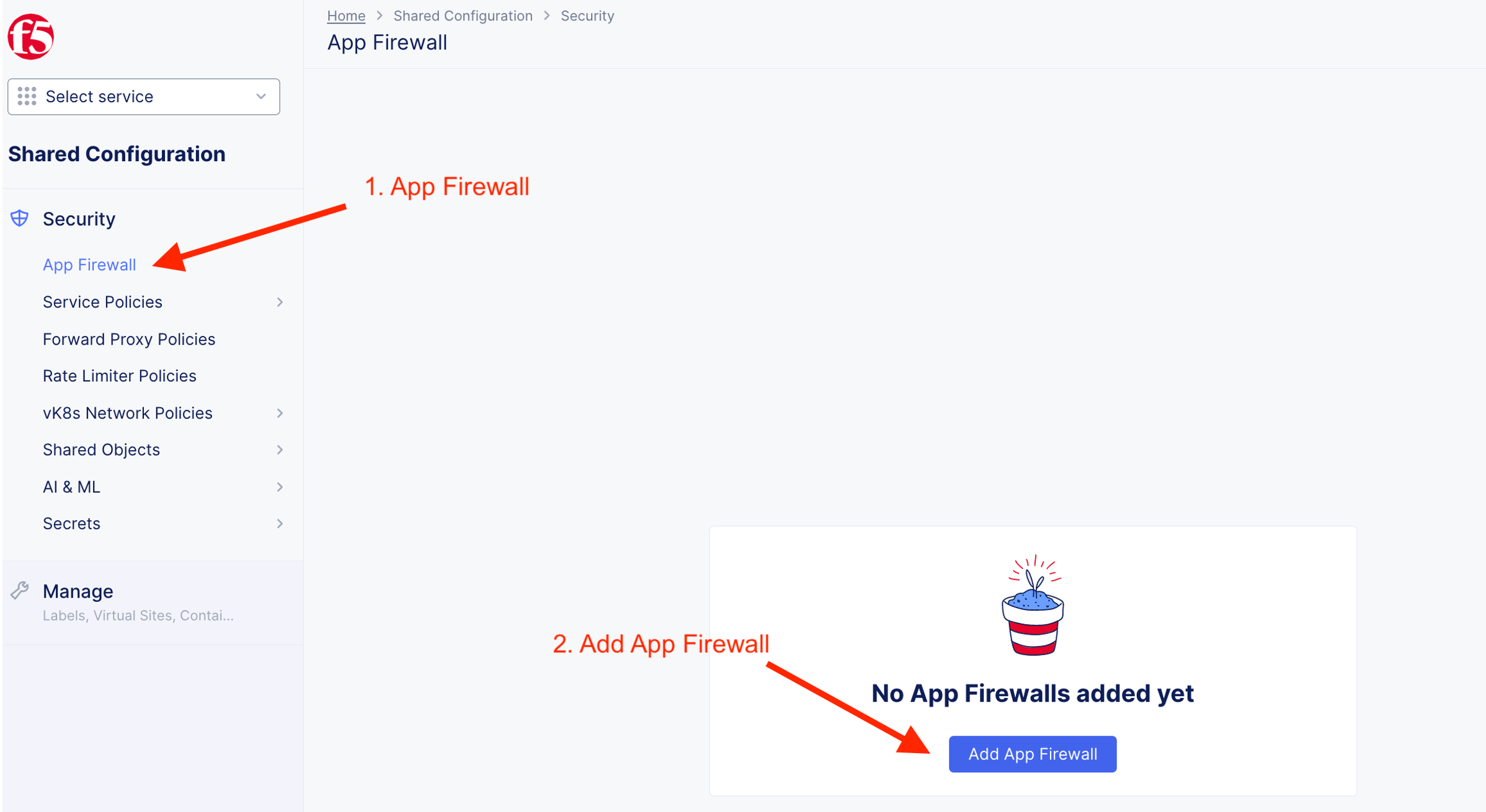
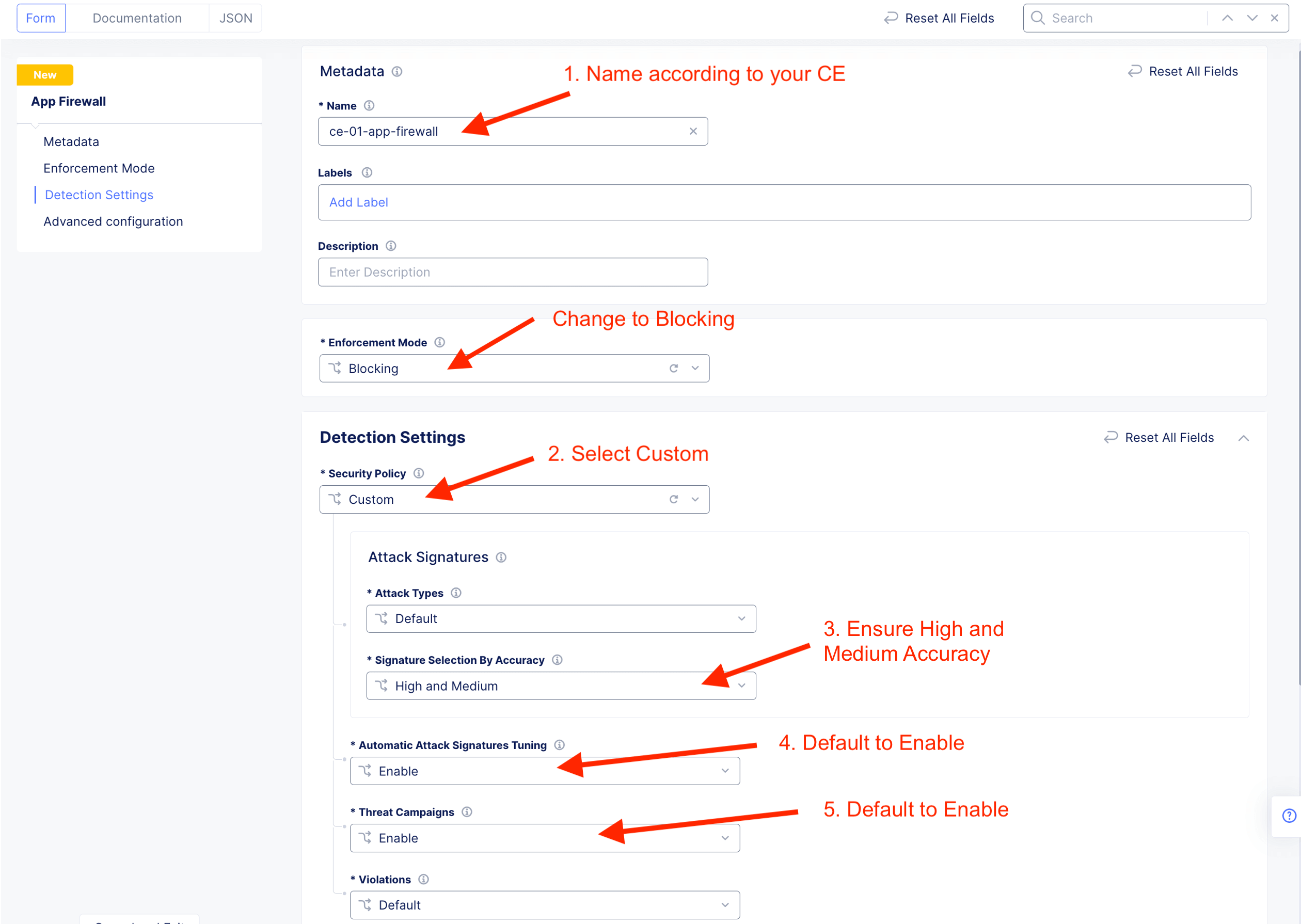
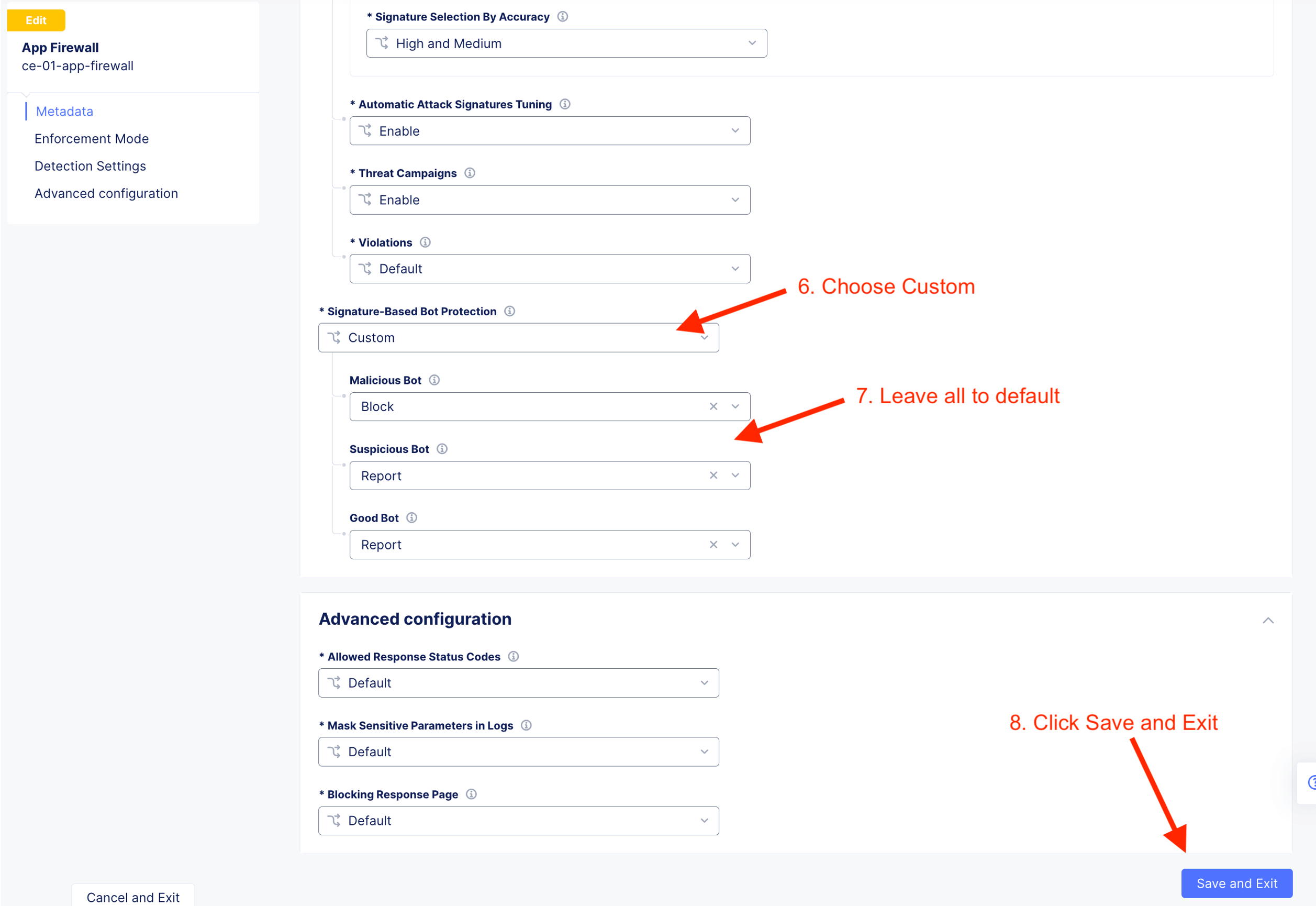
Follow the following instruction to create a shared app firewall rules. This app firewall reside on Shared namespace and will be visible to other namespaces. This allow SecOps to define App Firewall and DevOps consume from their individual namespace.

App#1 - Arcadia Financial Apps [Internal]
Create App Protection
| Arcadia Financial | Value |
|---|---|
| Protected FQDN | https://arcadia.ce.local |
| Type of Origin Server | IP address of Origin Server on given Sites |
| Origin Server | 10.1.20.21 |
| Origin Server Port | 80 |
| Origin Server Network on the Site | Inside |
| VIP Advertisement | Custom |
| Where to advertise | Outside on CE site |
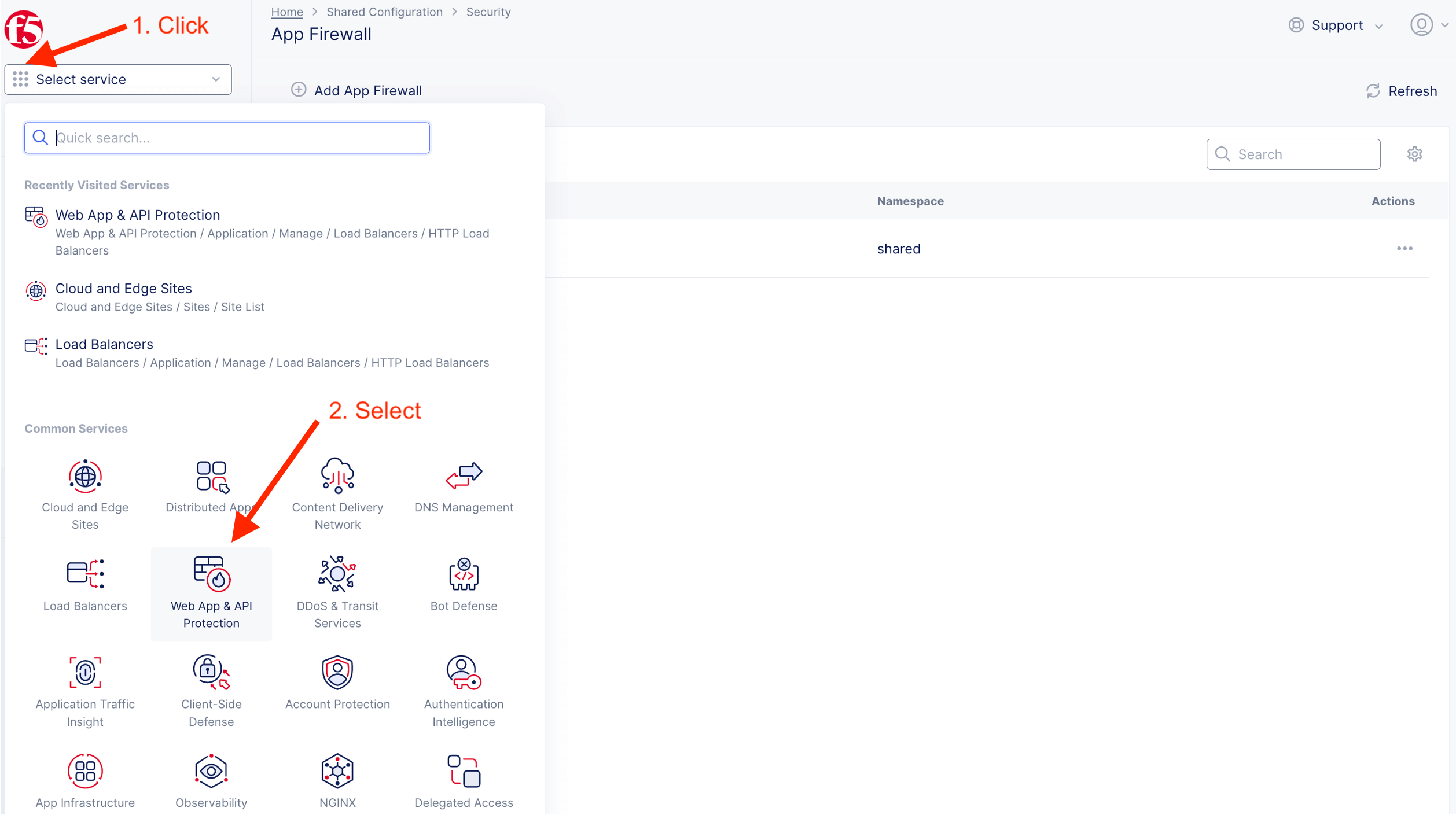
Add new HTTP LB
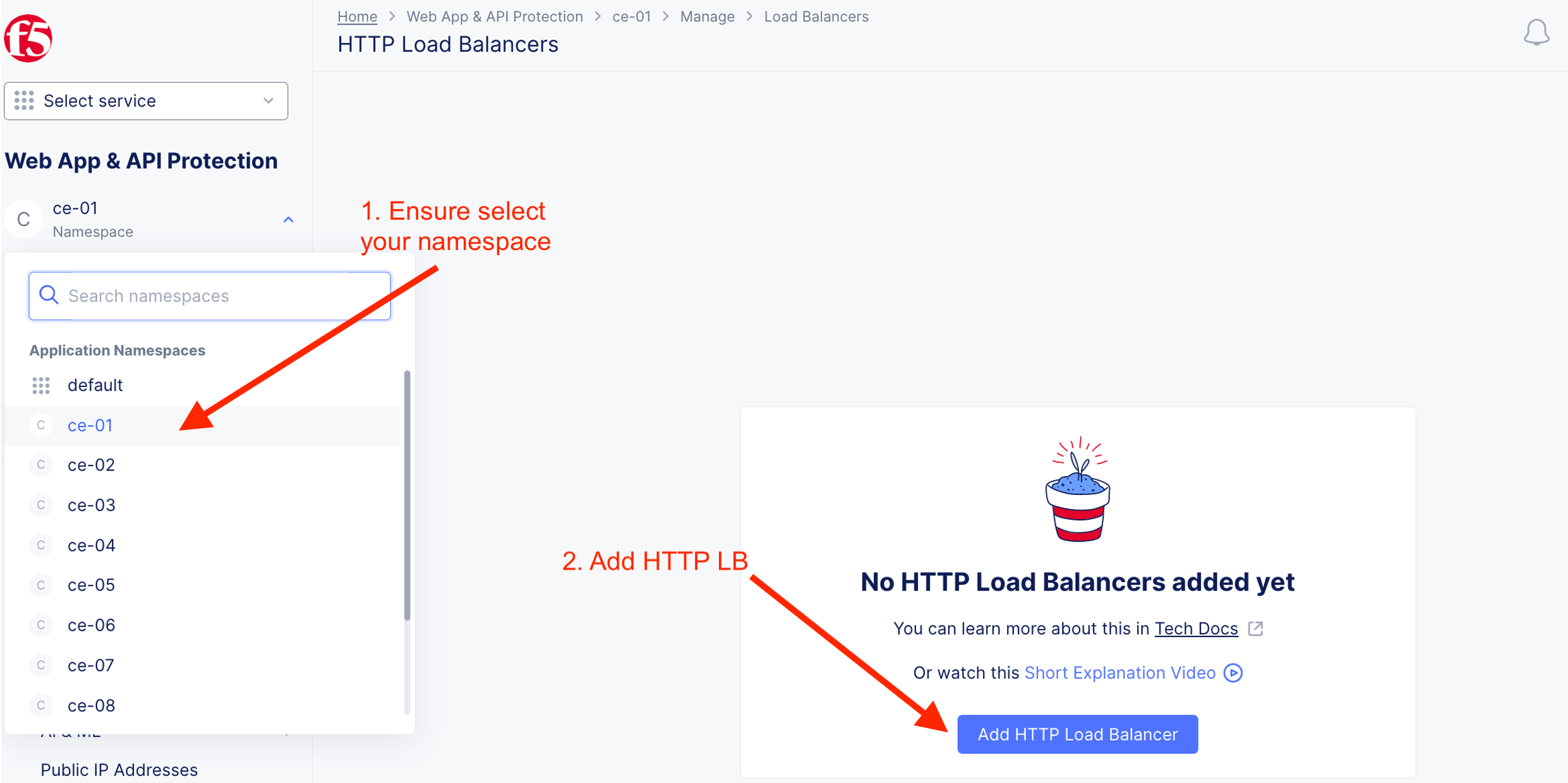
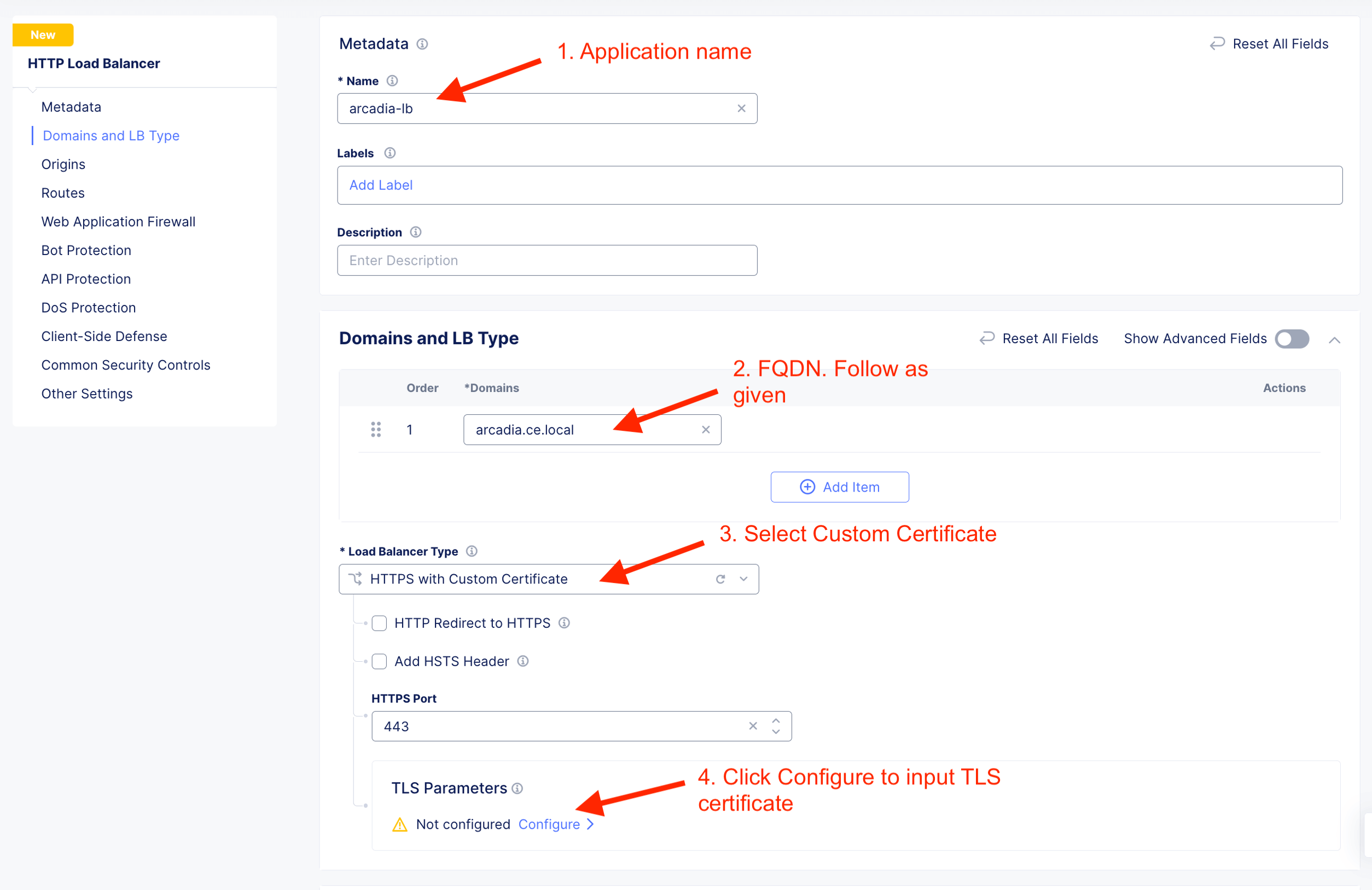
Create custom TLS certificate
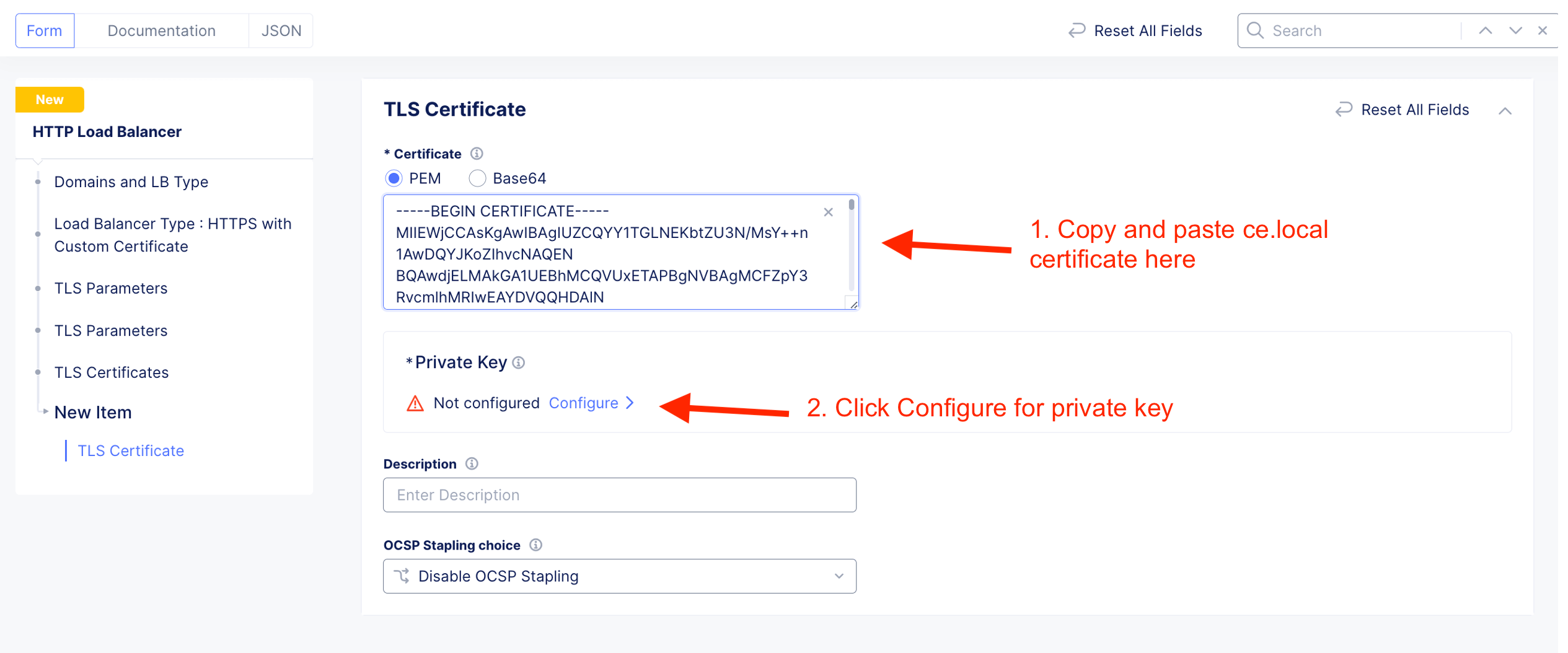
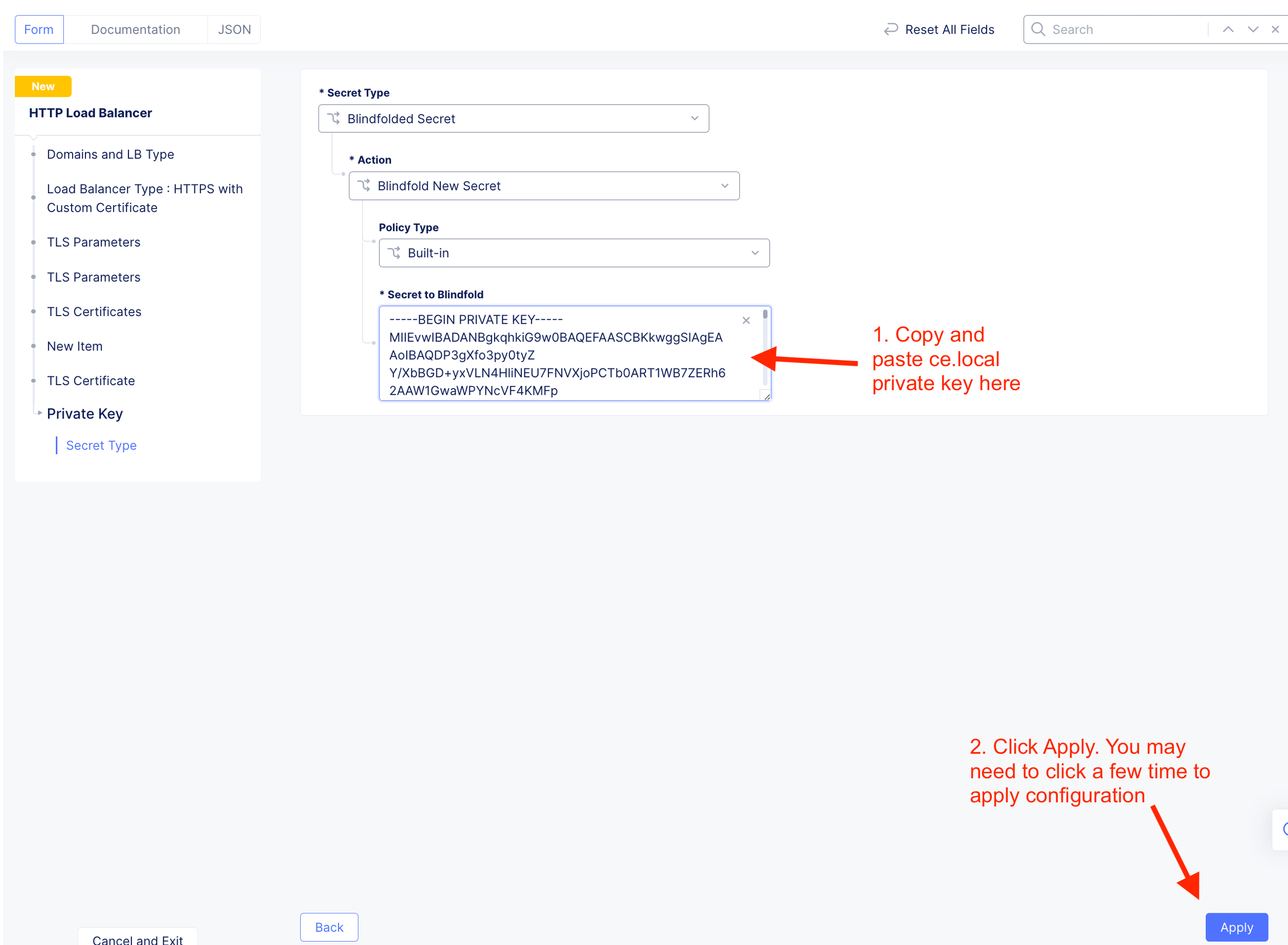
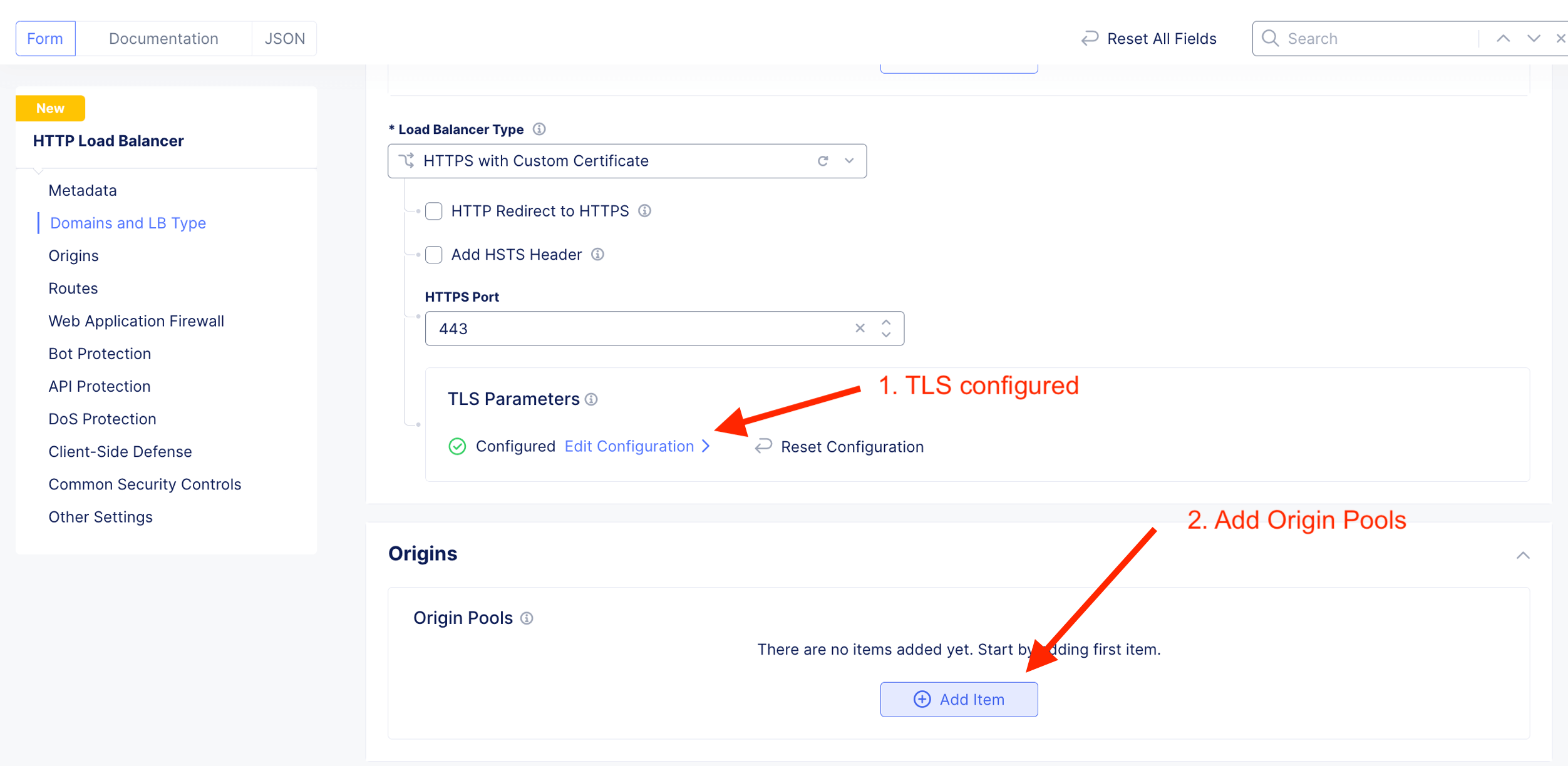
Add Origin Pool. Where the HTTP LB should send traffic to.
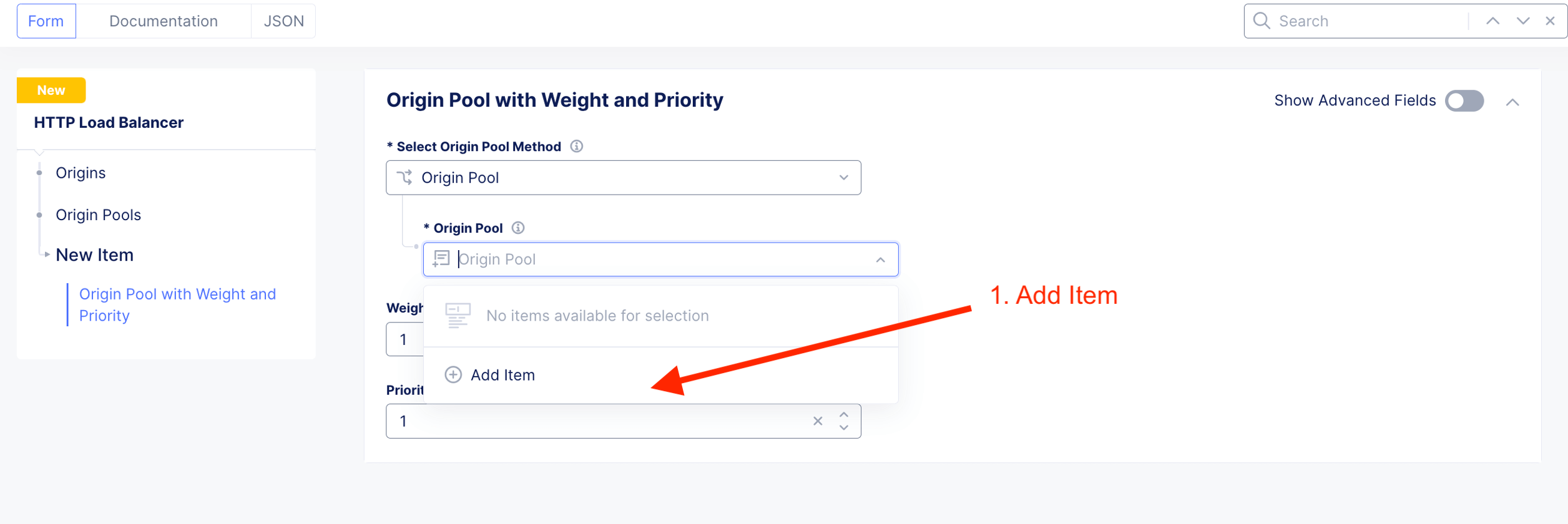
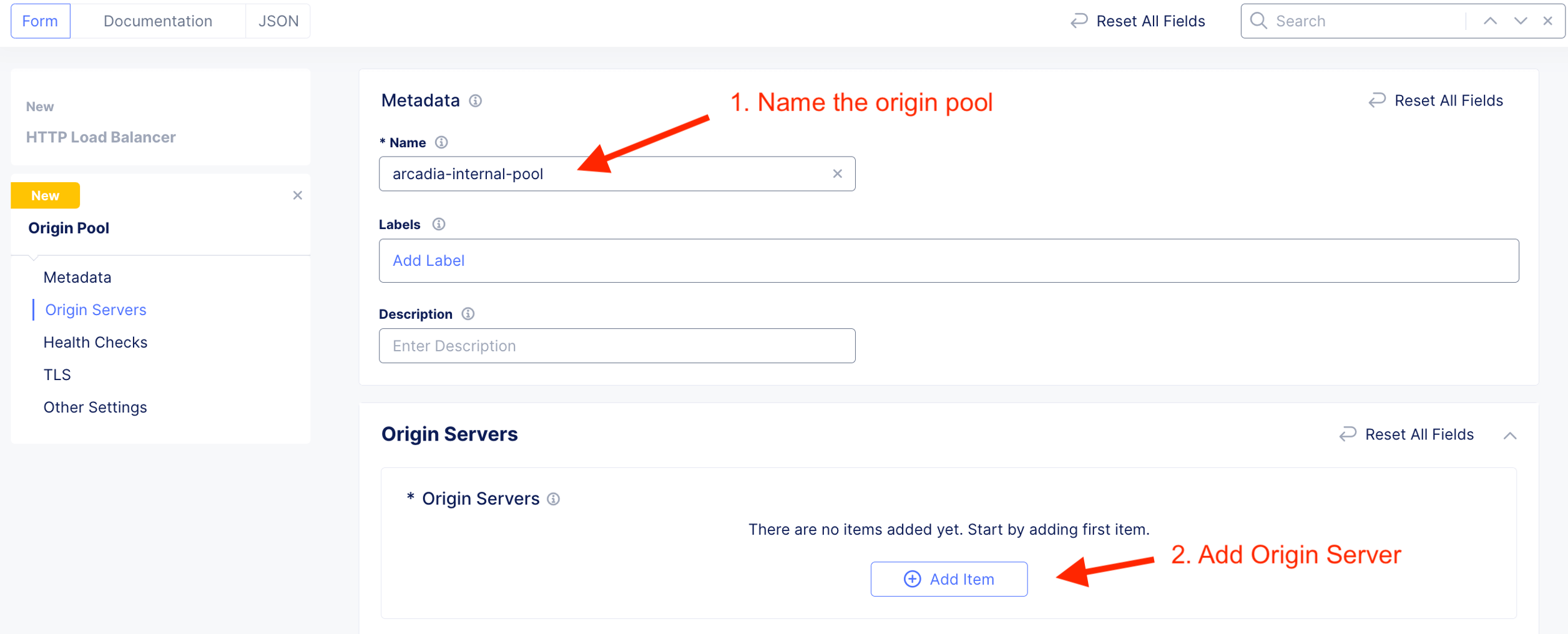
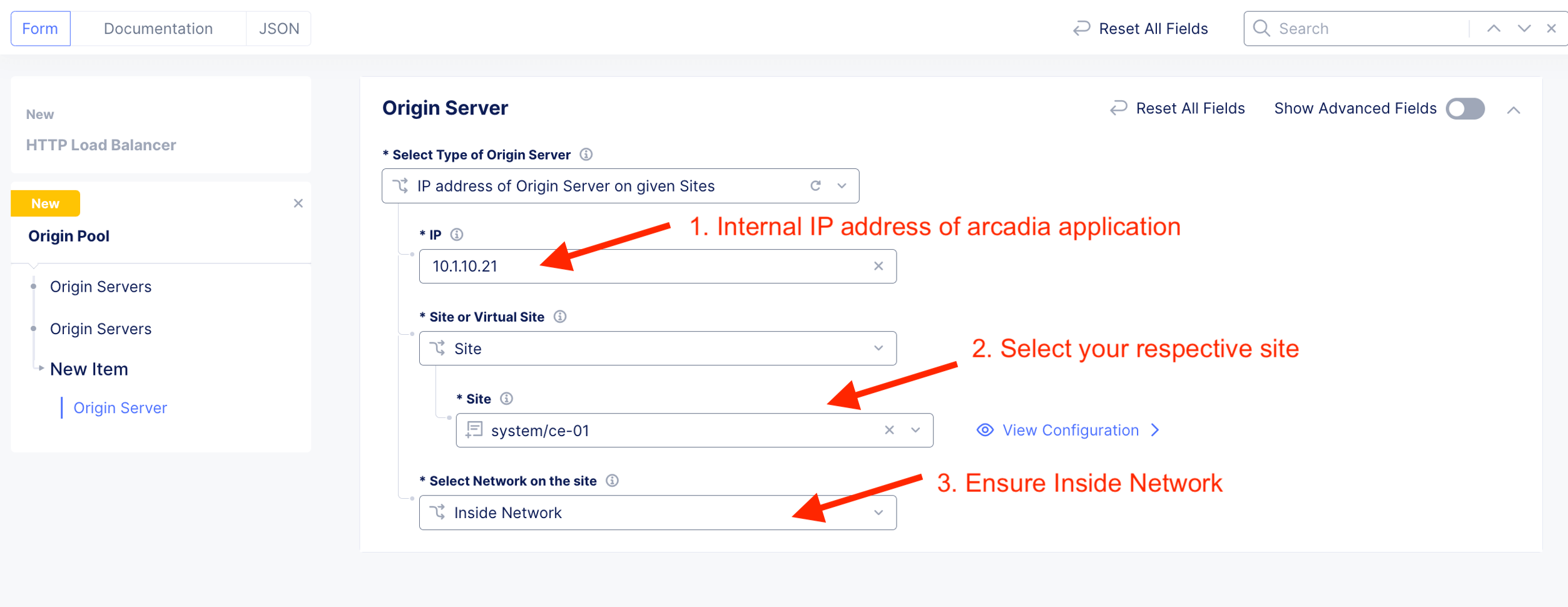
The Web server or Origin server resides inside network (10.1.10.21) of the CE.
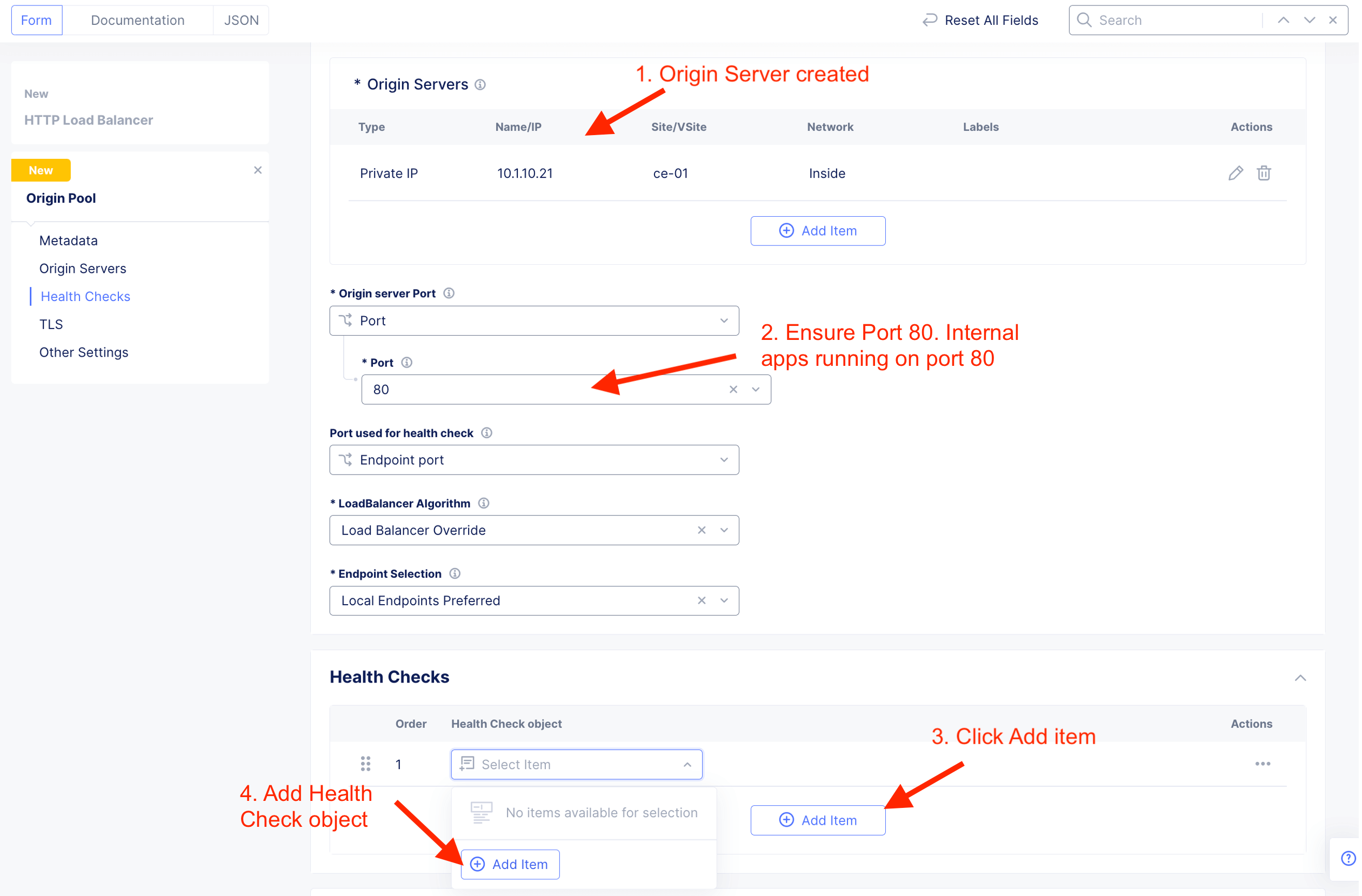
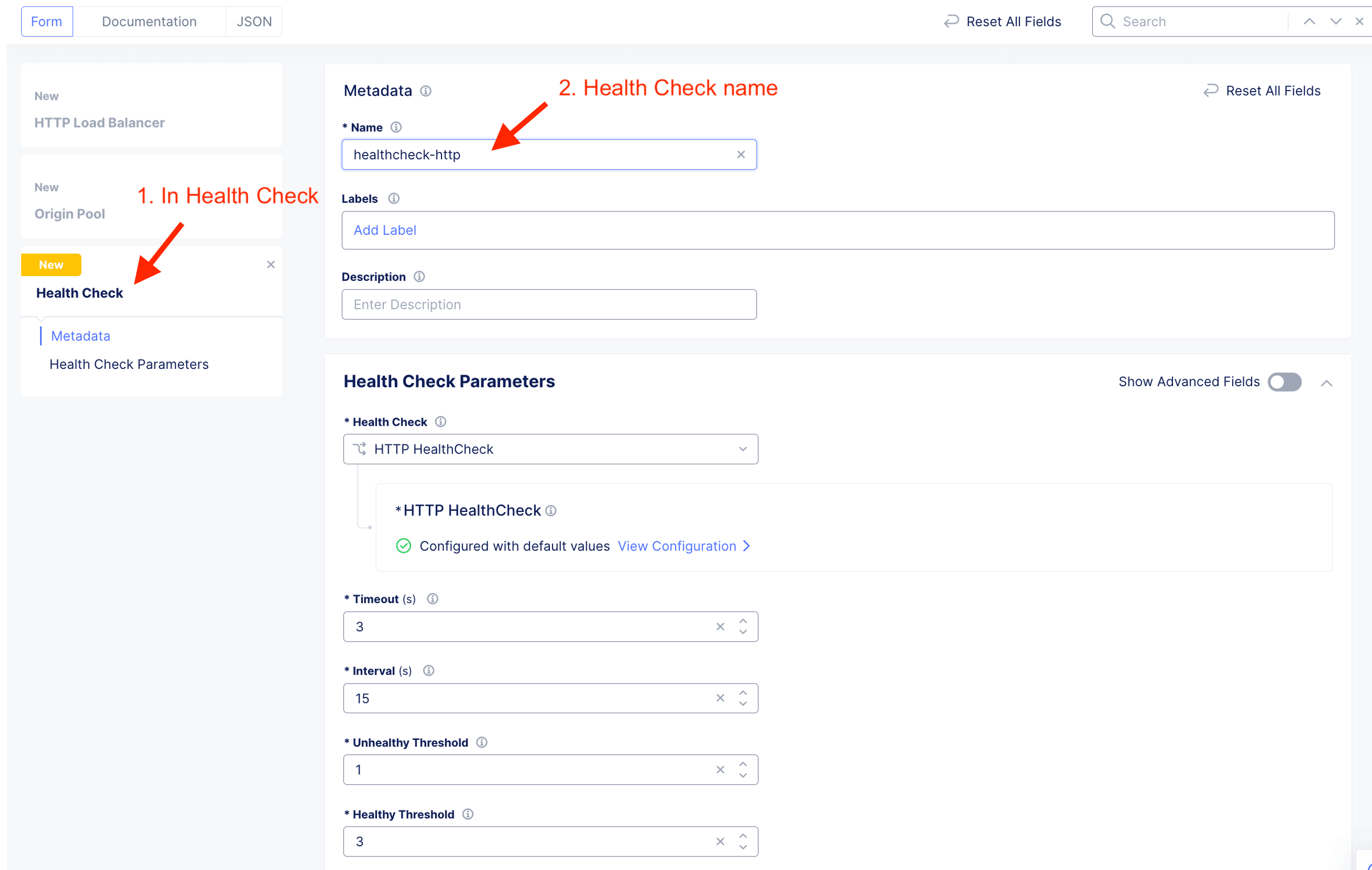
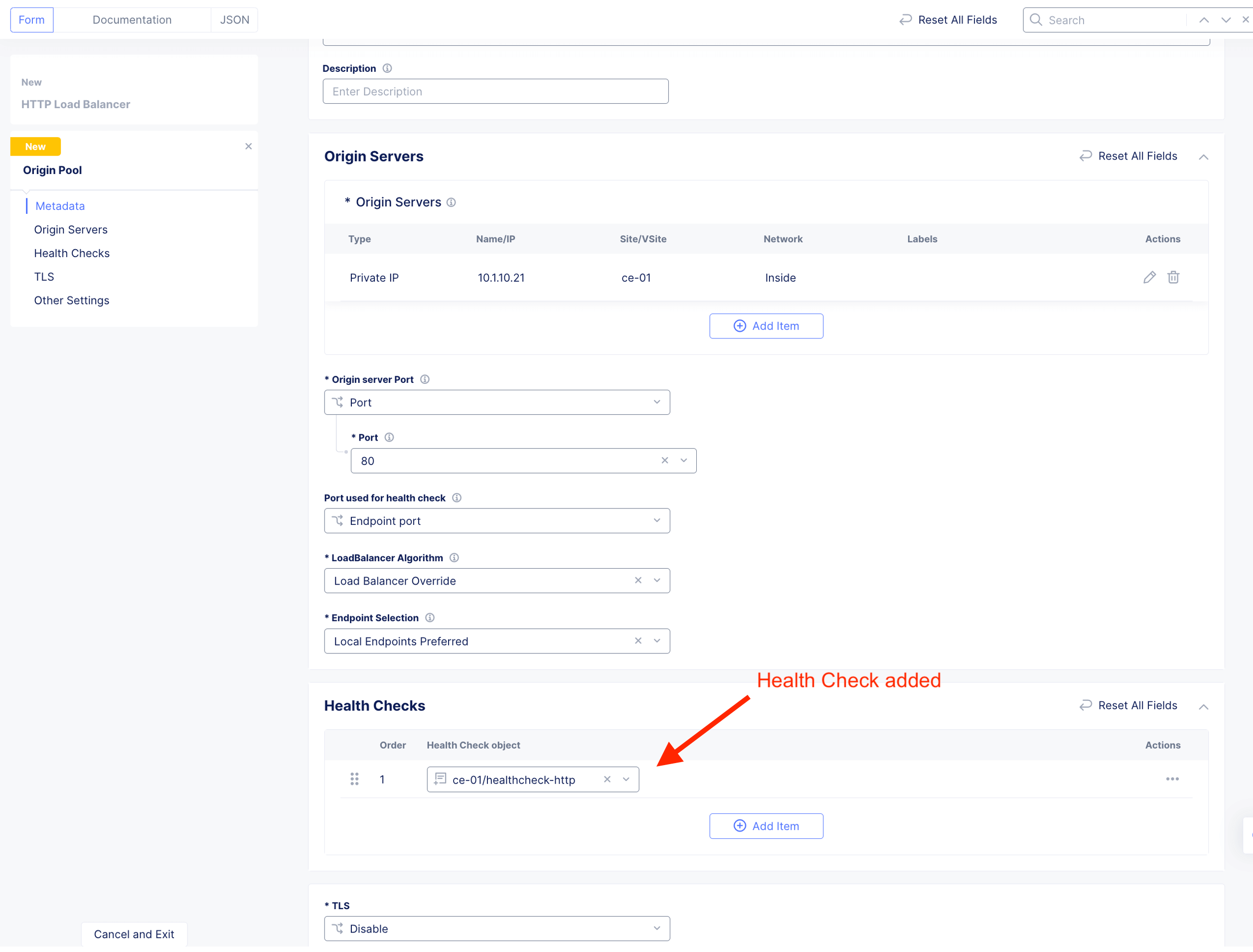
Create Health Check. It is a good practice to always create appropriate health check. This to ensure HTTP LB constant know the health of the application.
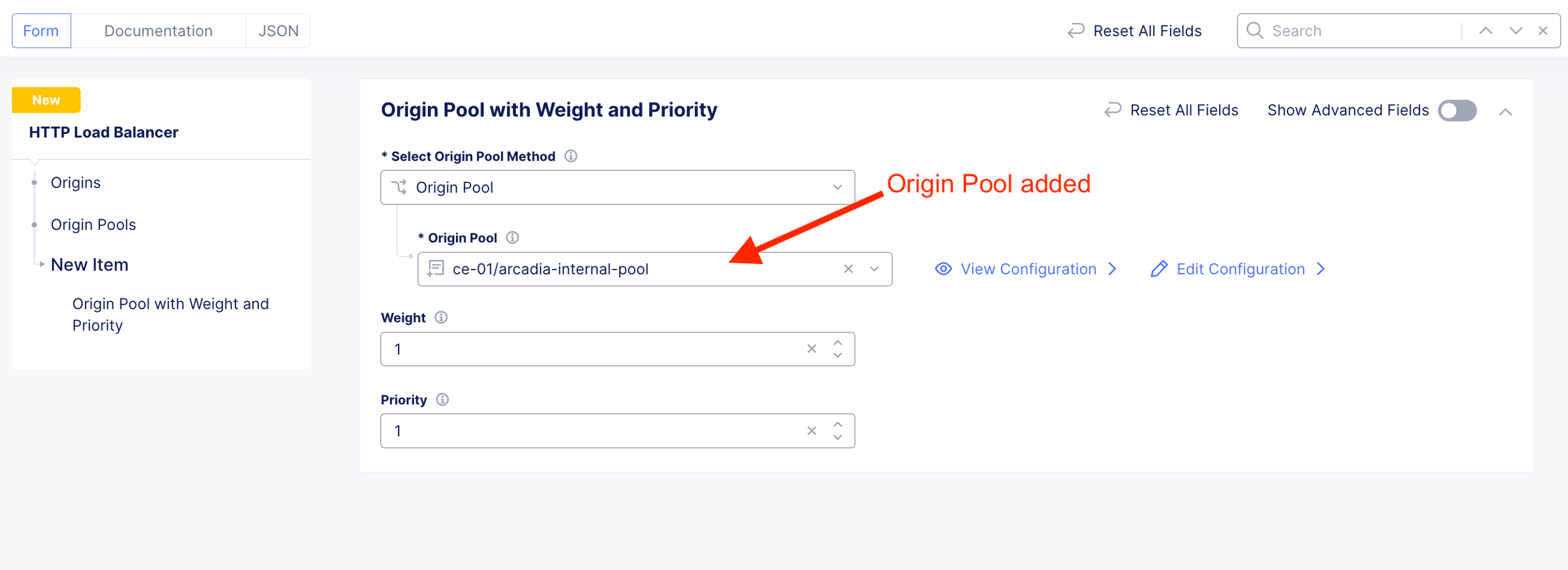
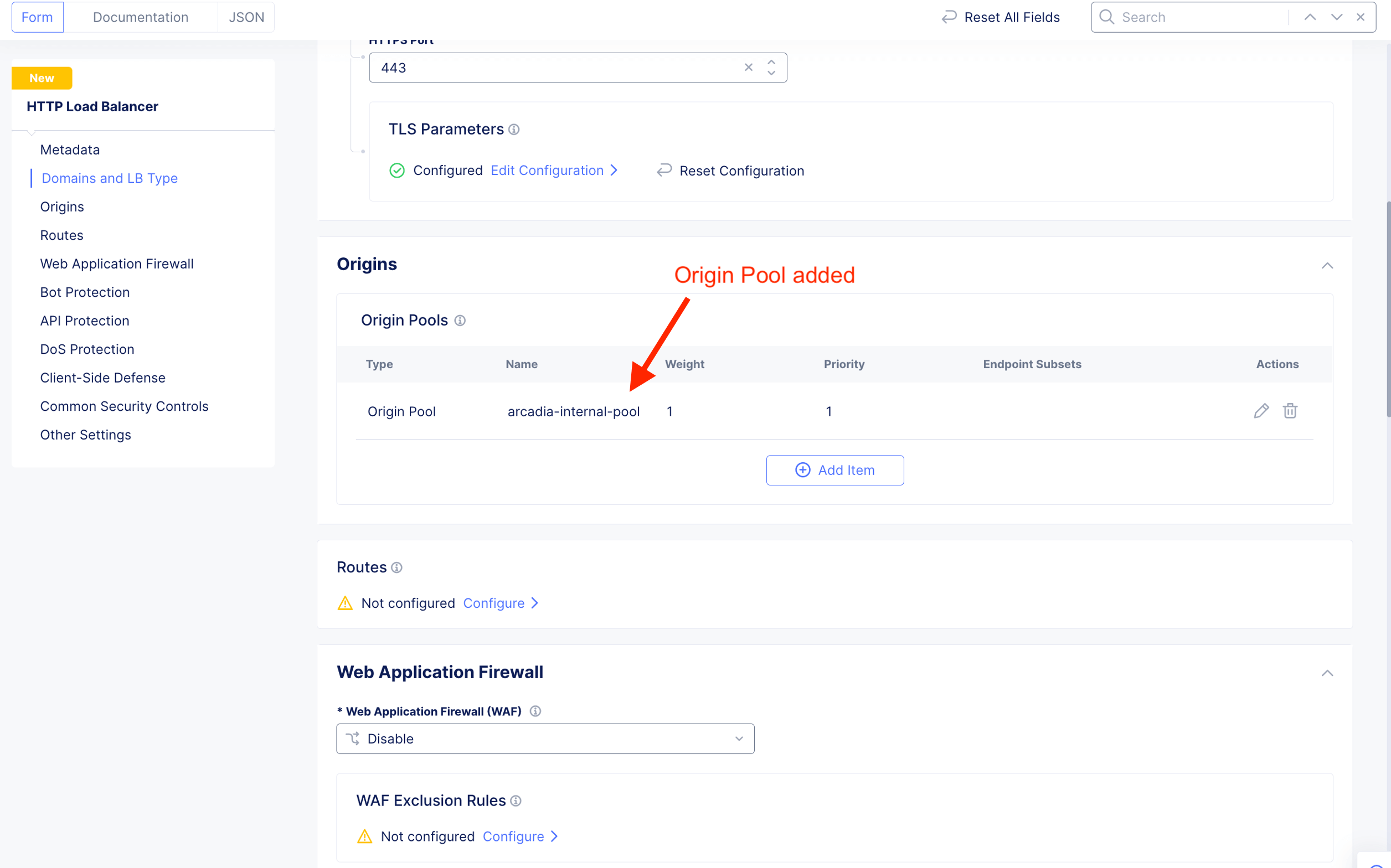
Attach WAF policy to HTTP LB

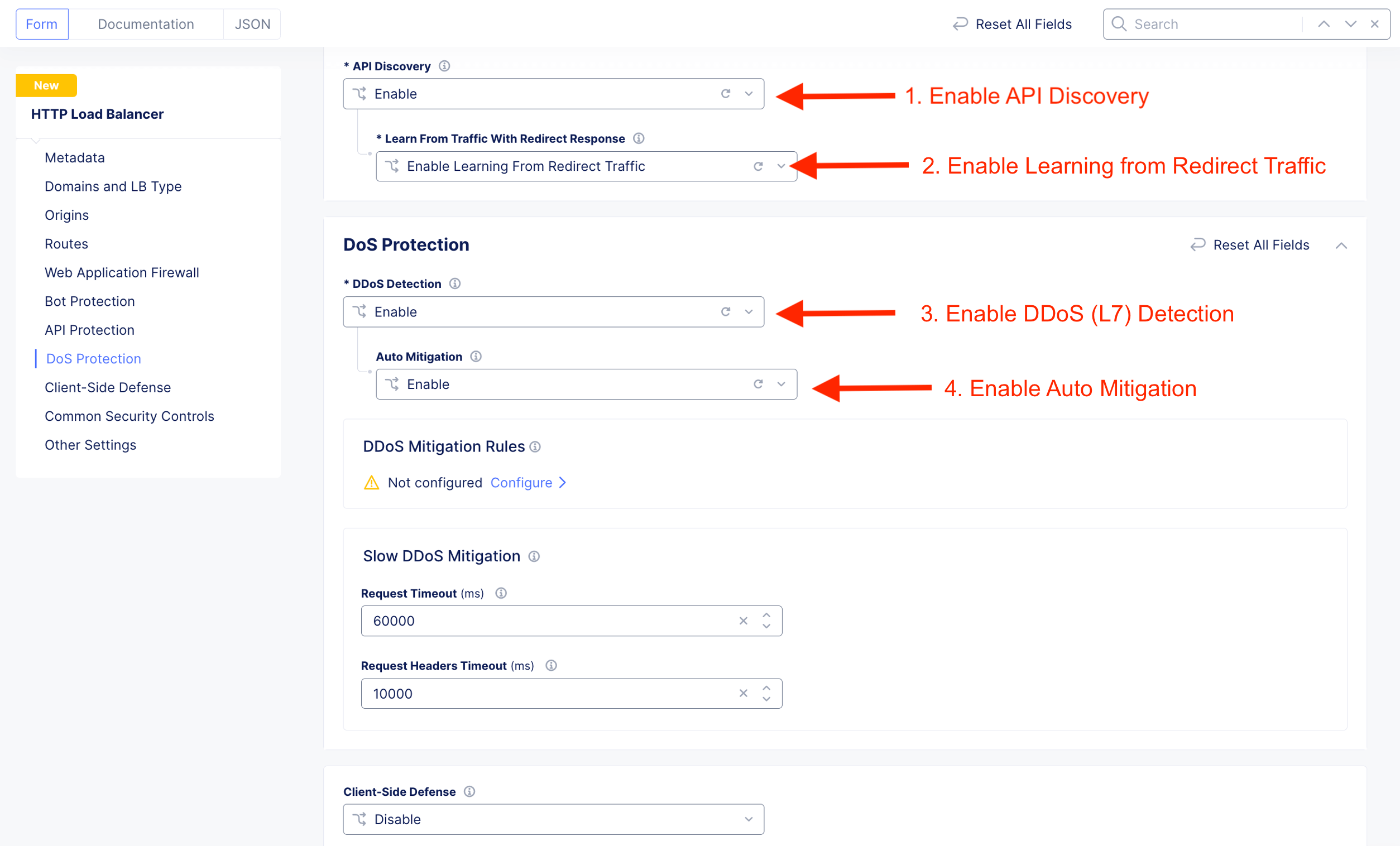
Enable API Discovery, API Traffic Learning, DDoS Protection and DDoS Auto-Mitigation
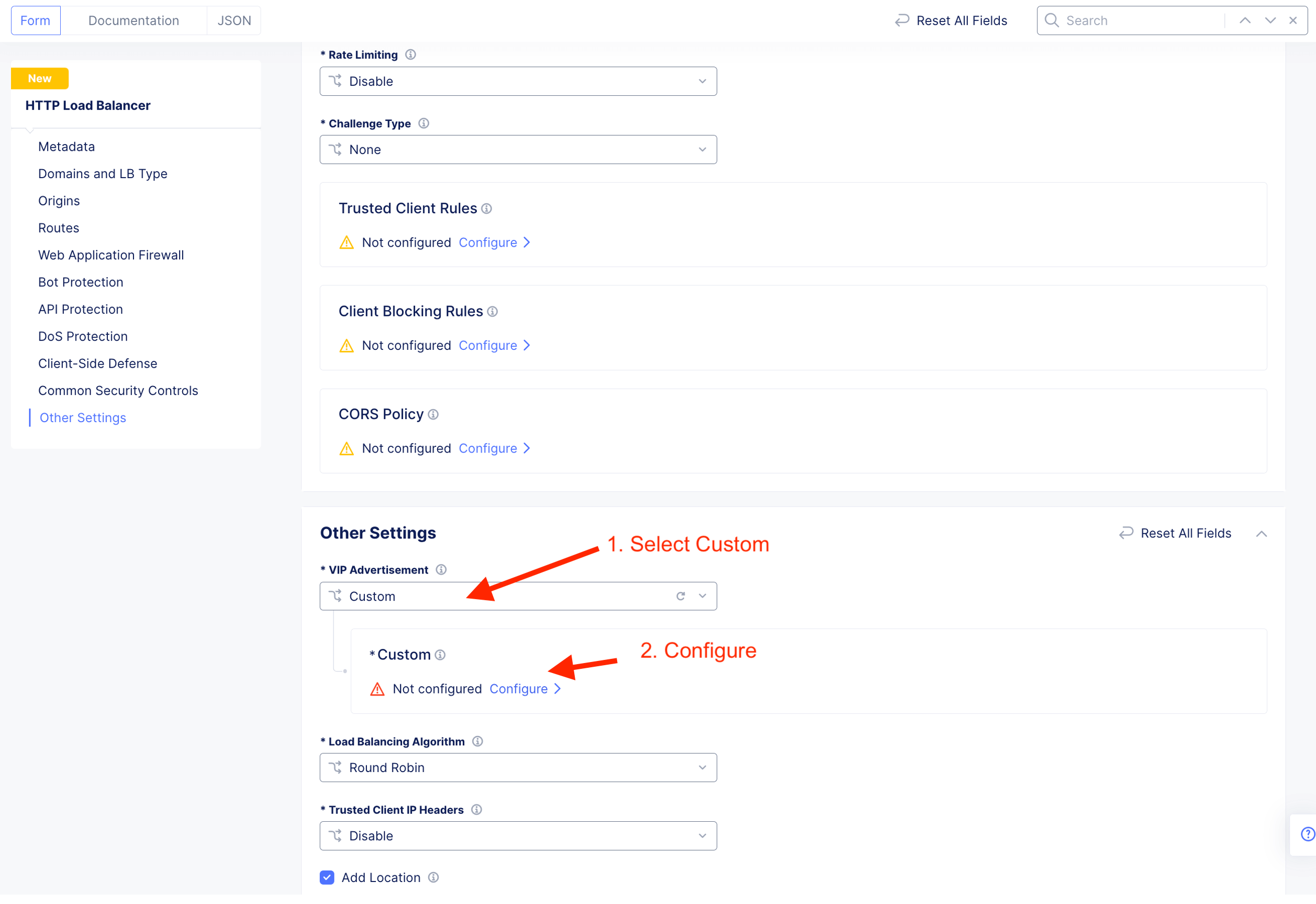
Configure where this HTTP LB listen on - “listerner”. For CE deployment, select Custom
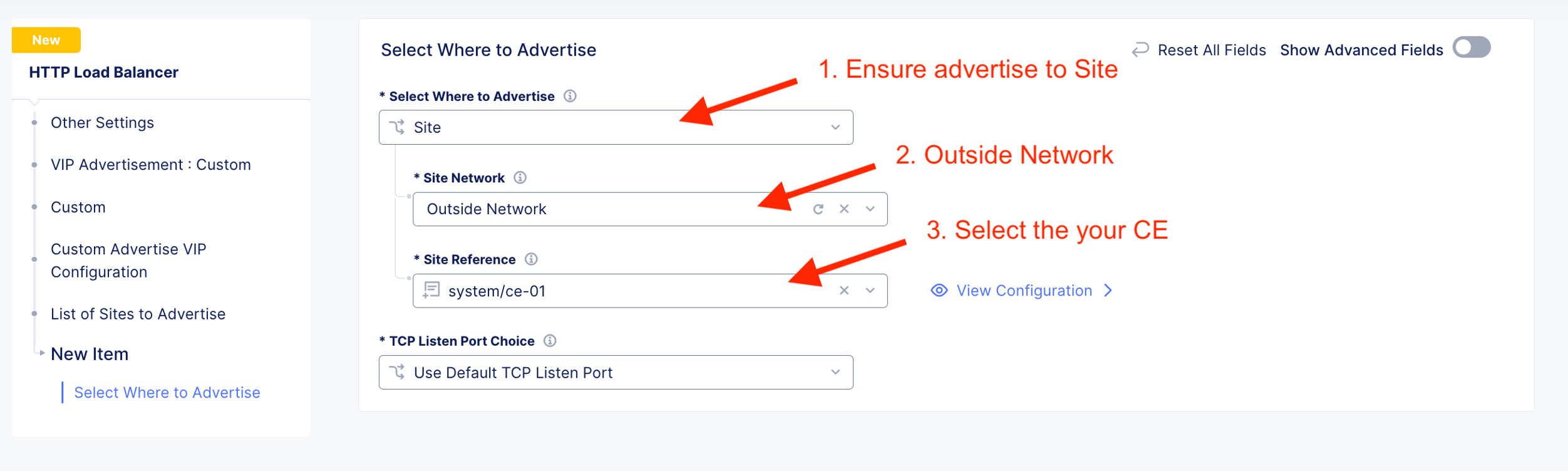
Specify HTTP Listerner listen on Outside Network in reference to the CE site.
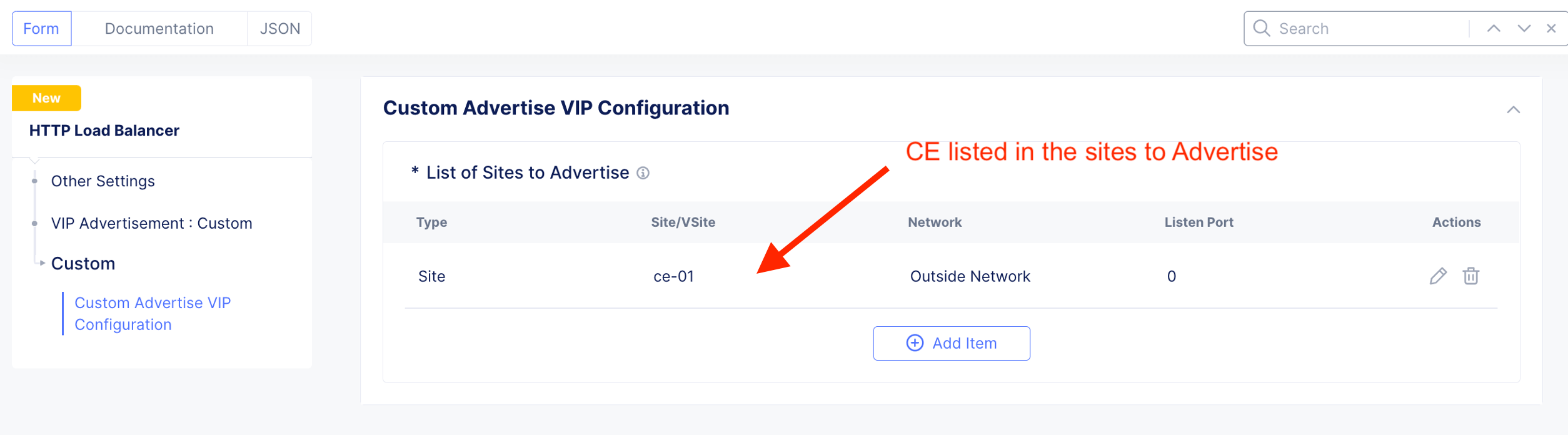
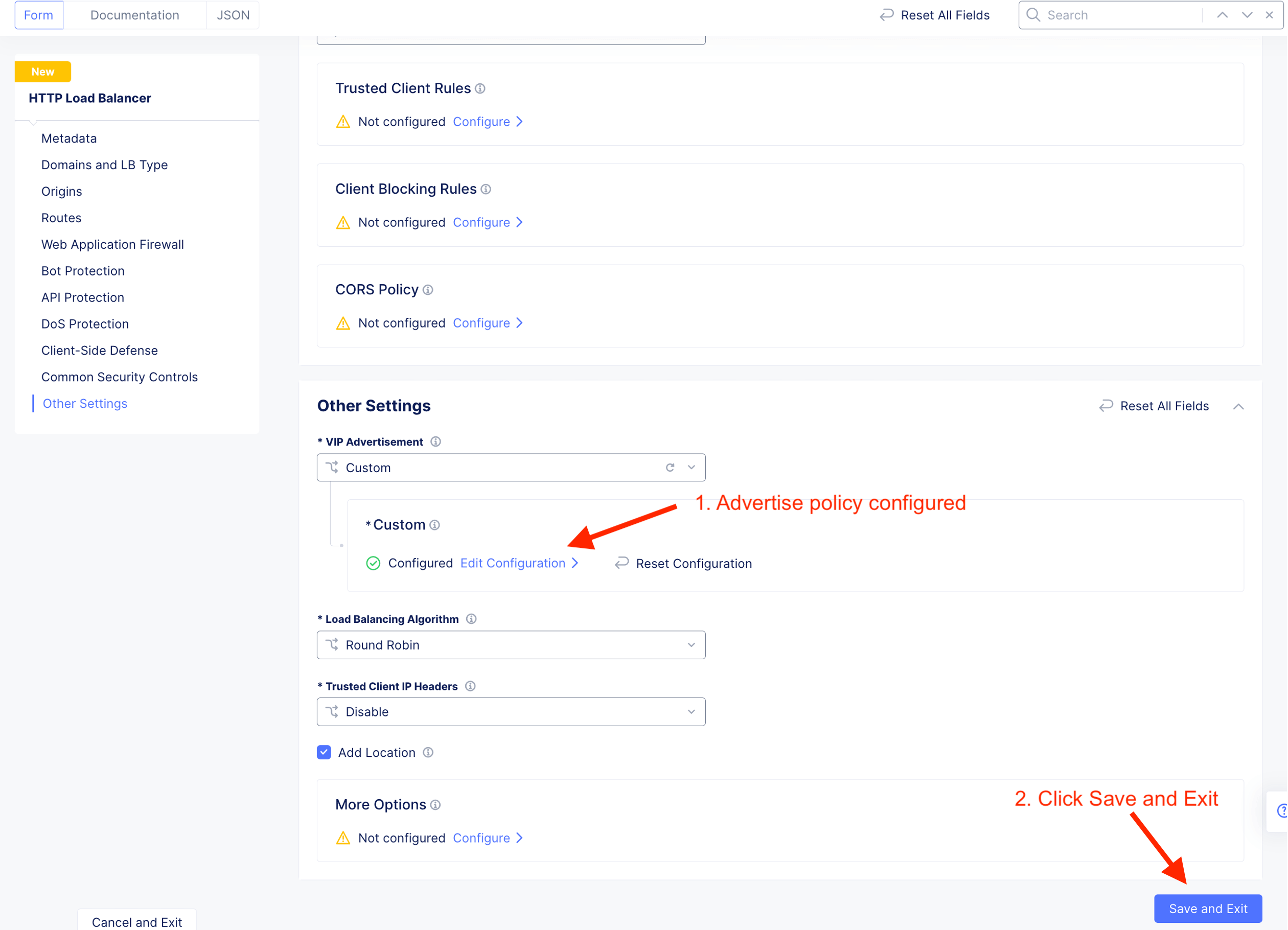
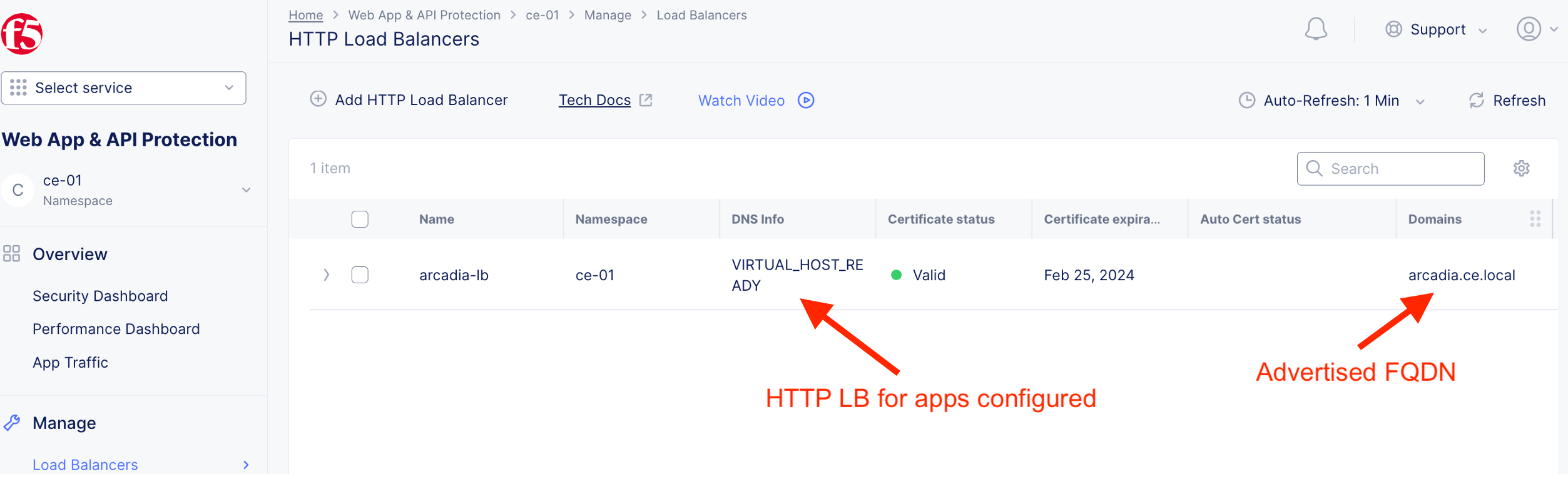
HTTP LB for arcadia-lb created with valid certificate.
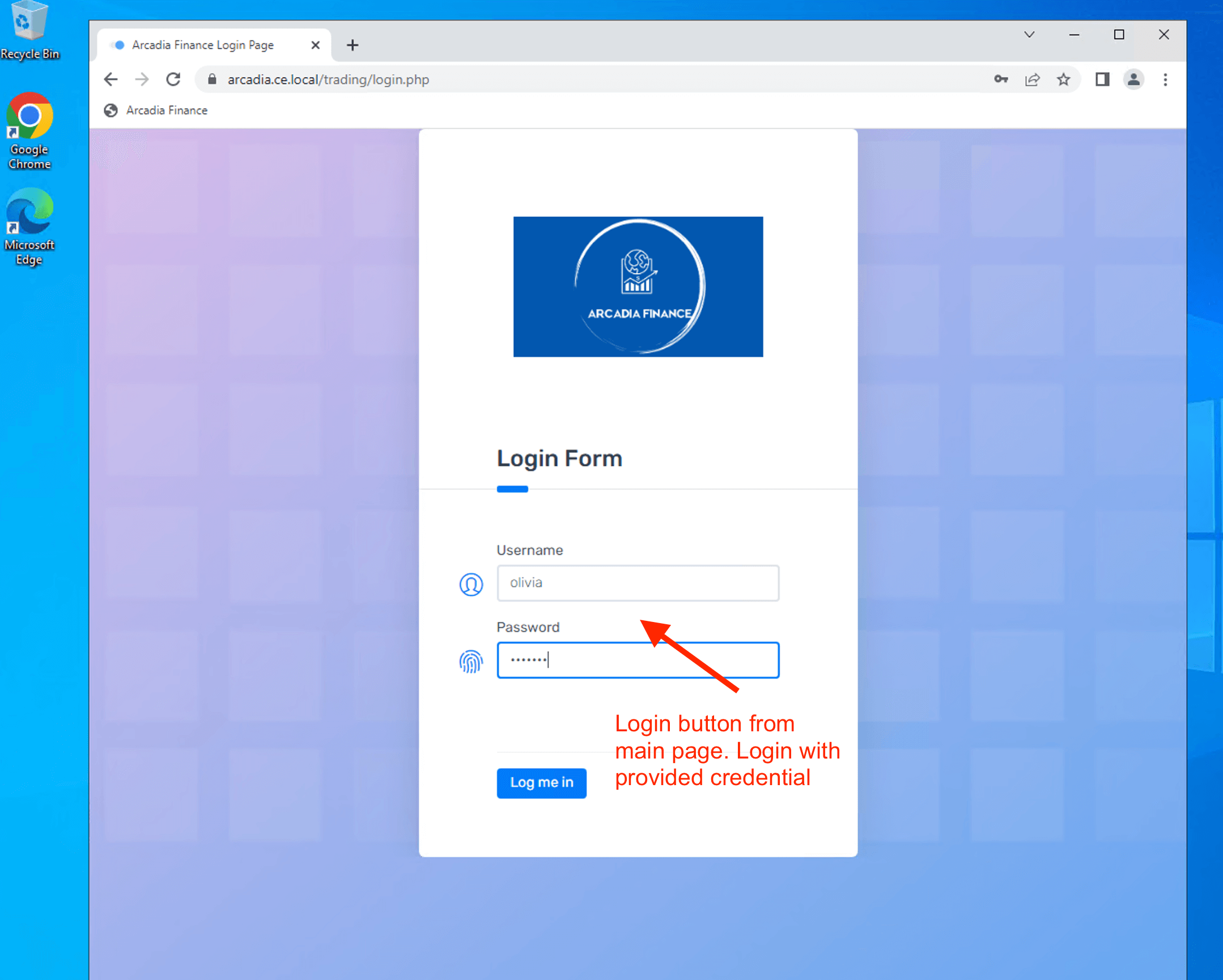
Validate App Protection
Attack from Client browser

| Username | olivia |
| Password | ilovef5 |

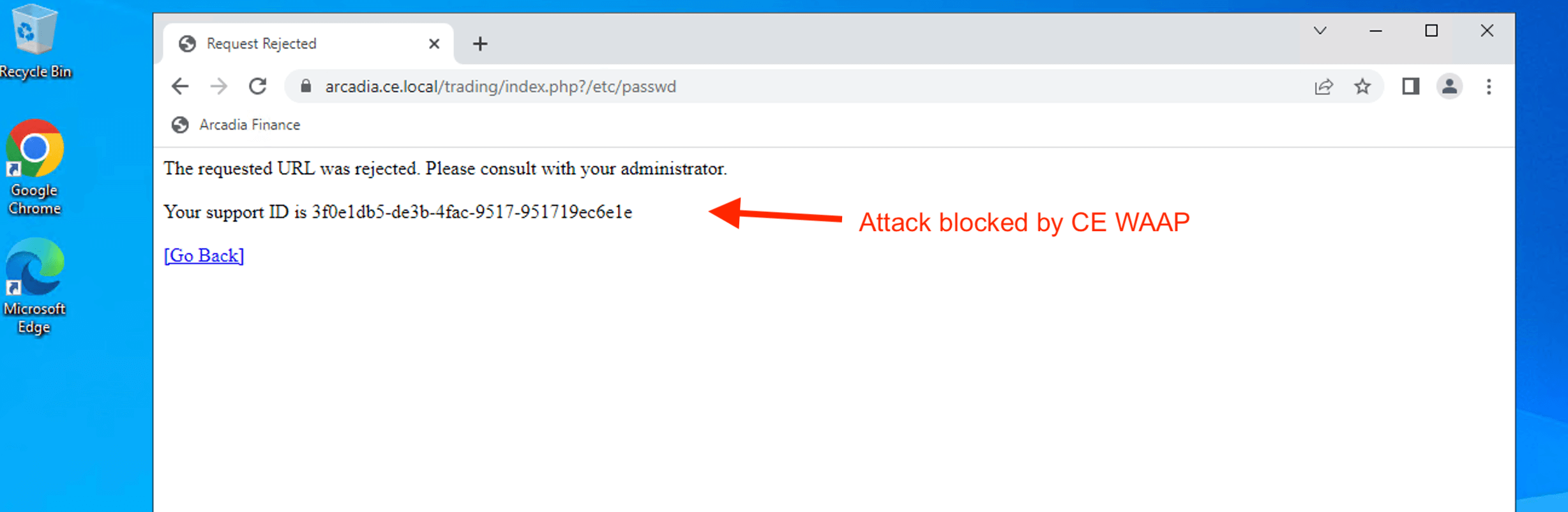
Try to access Web Server /etc/passwd file

Triger blocking by CE WAAP. Match an attack signature. Attack mitigated.
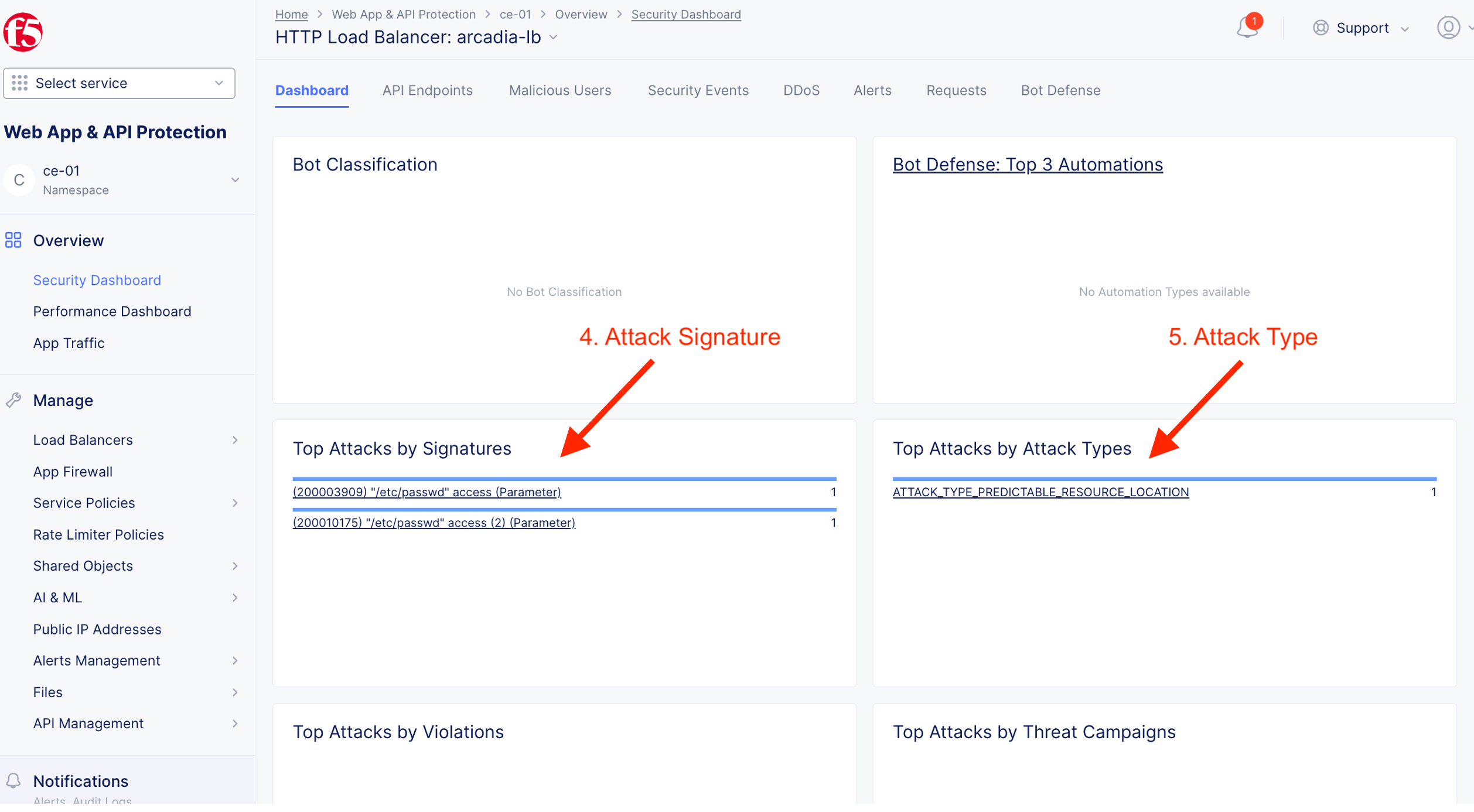
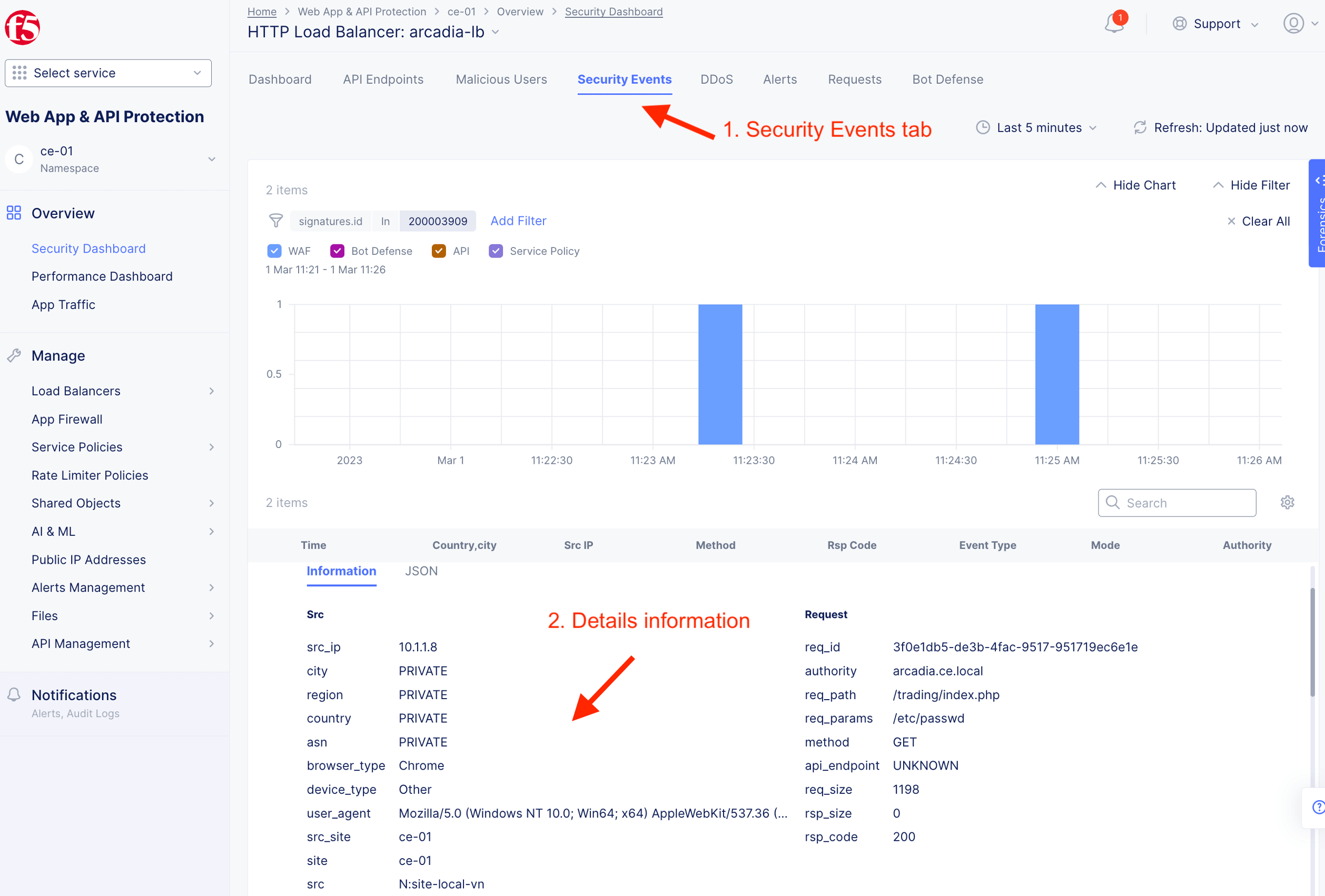
Validate detection and mitigation from F5XC Console

App#2 - Hipster Retails Apps [Public Internet]
Create App Protection
| Hipster Retail | Value |
|---|---|
| Protected FQDN | https://hipster.ce.local |
| Type of Origin Server | Public DNS Name of Origin Server |
| Origin Pool | https://hipster.edgecnf.com |
| Origin Server Port | 443 |
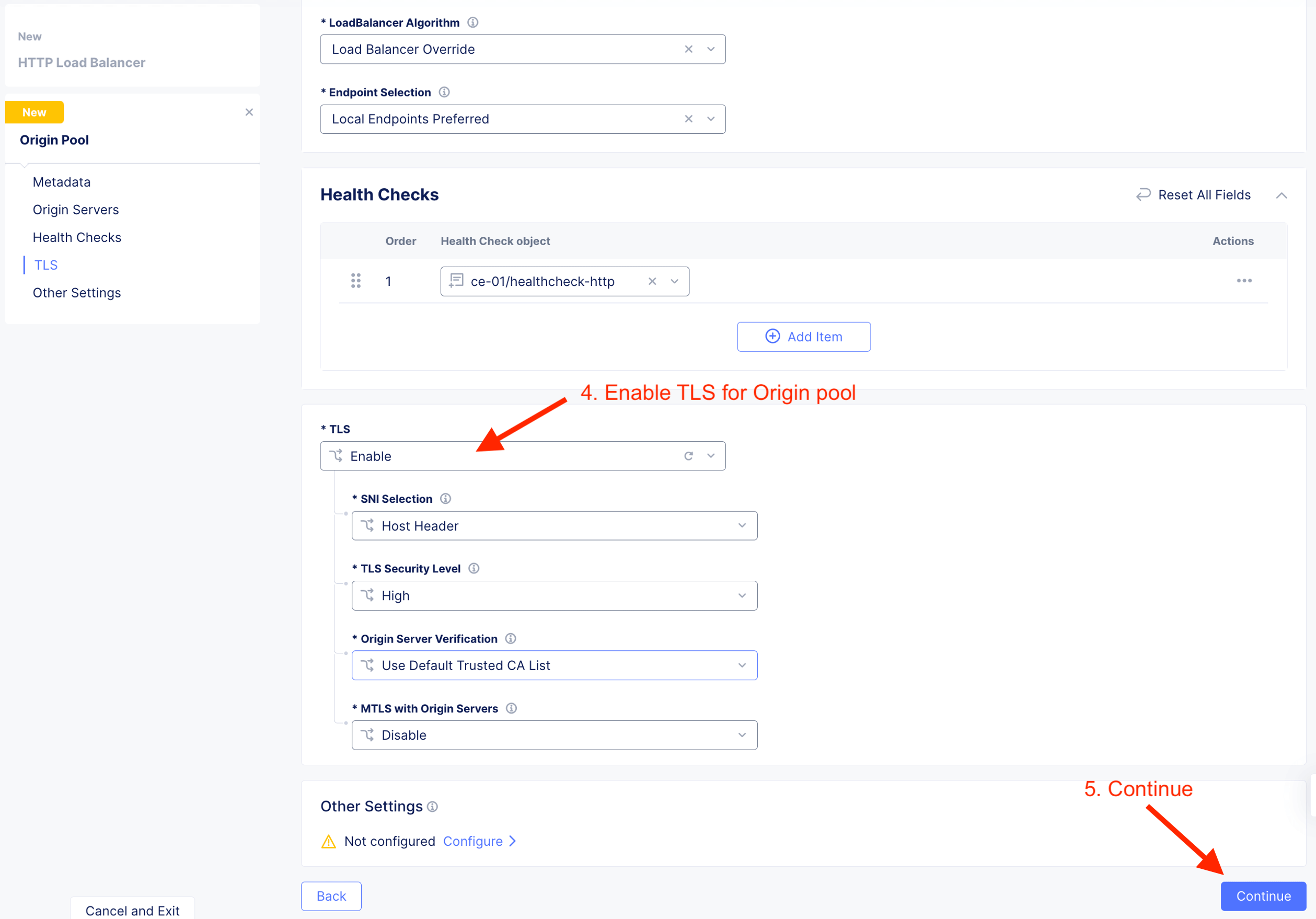
| Origin Pool TLS | Enable |
| VIP Advertisement | Custom |
| Where to advertise | Outside on CE site |
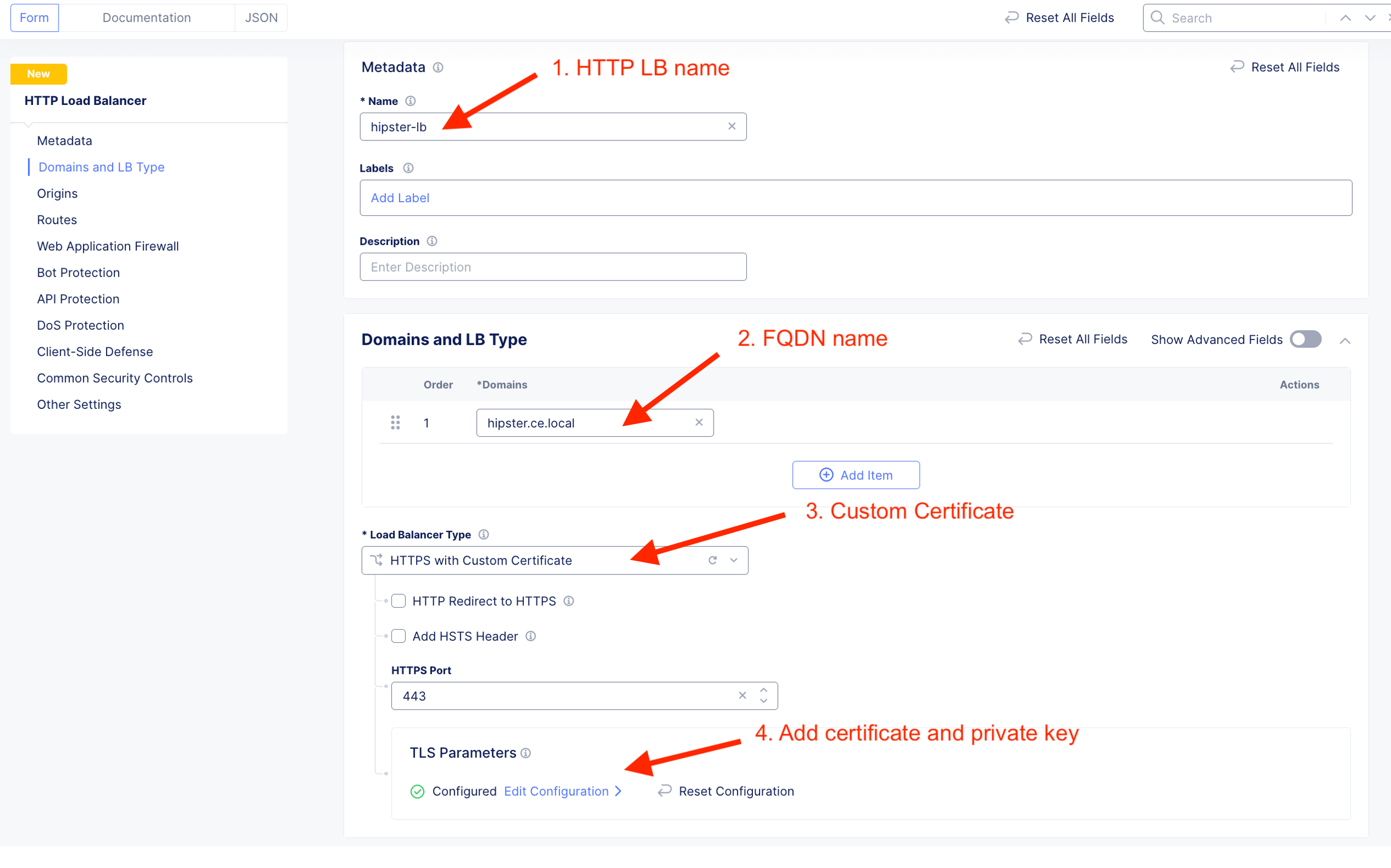
Create HTTP LB and add custom certificte.
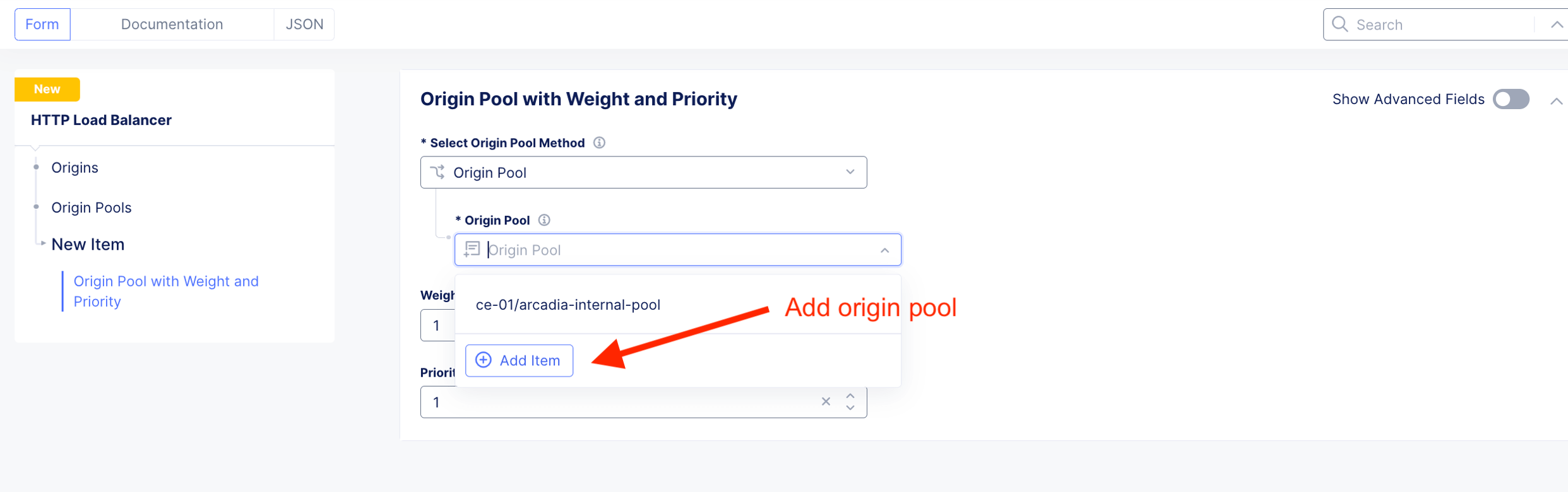
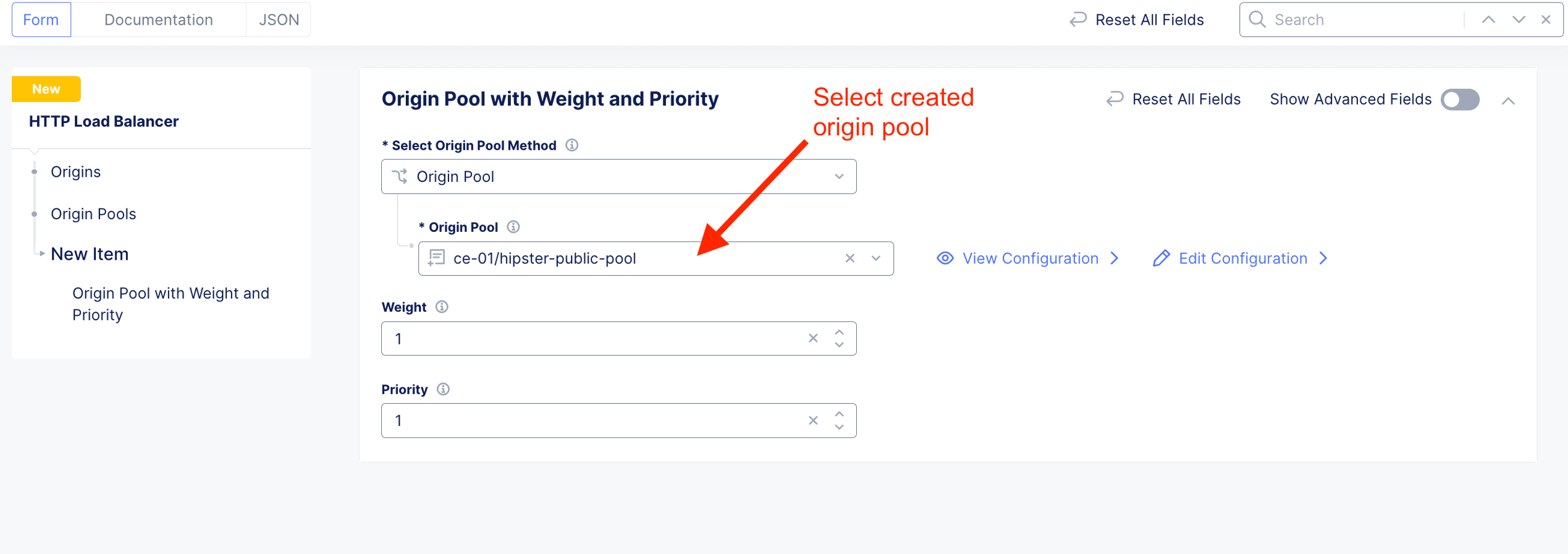
Add Origin Pool. Origin pool reside on Internet.
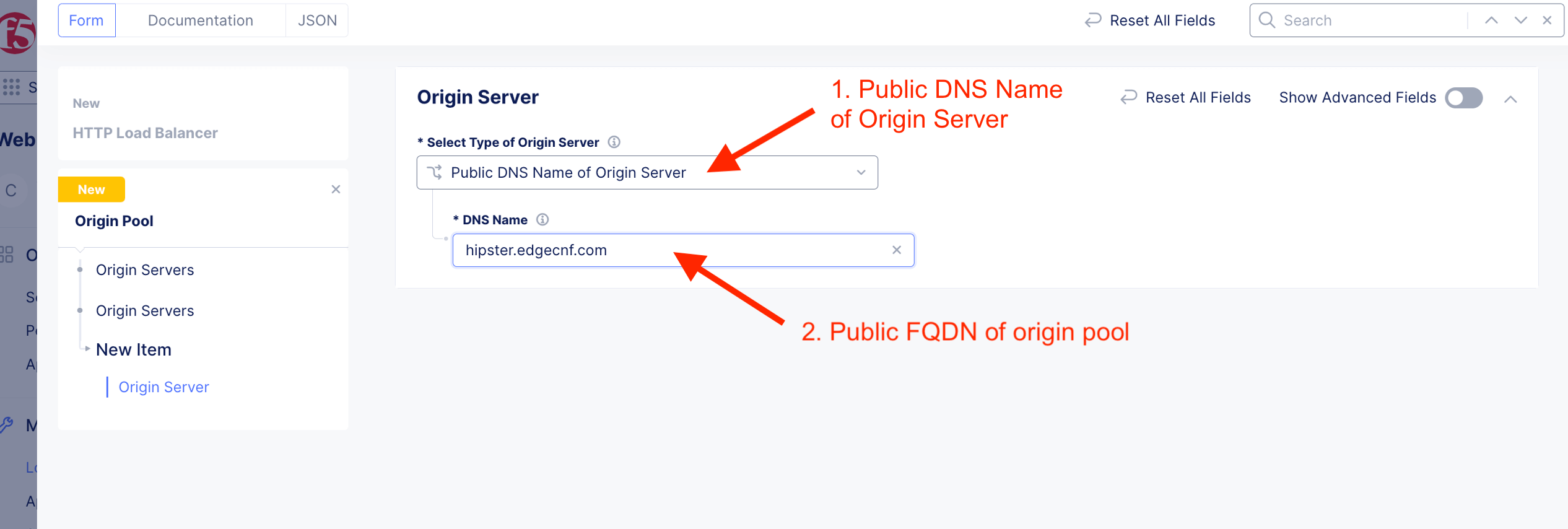
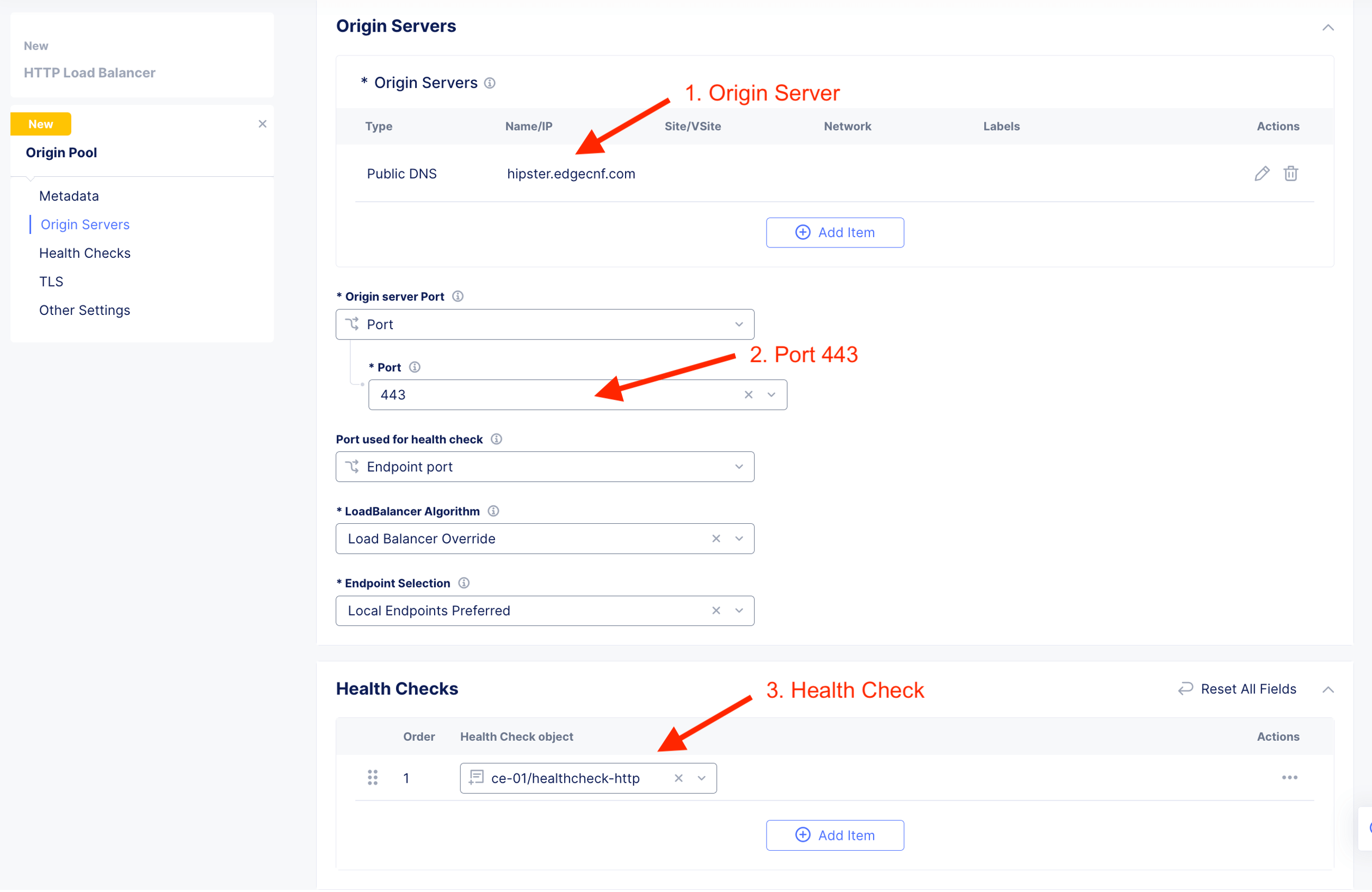
Due to orgin pool runing on HTTPS, enable TLS so that when CE connect to origin server, it invoke a secure connection.
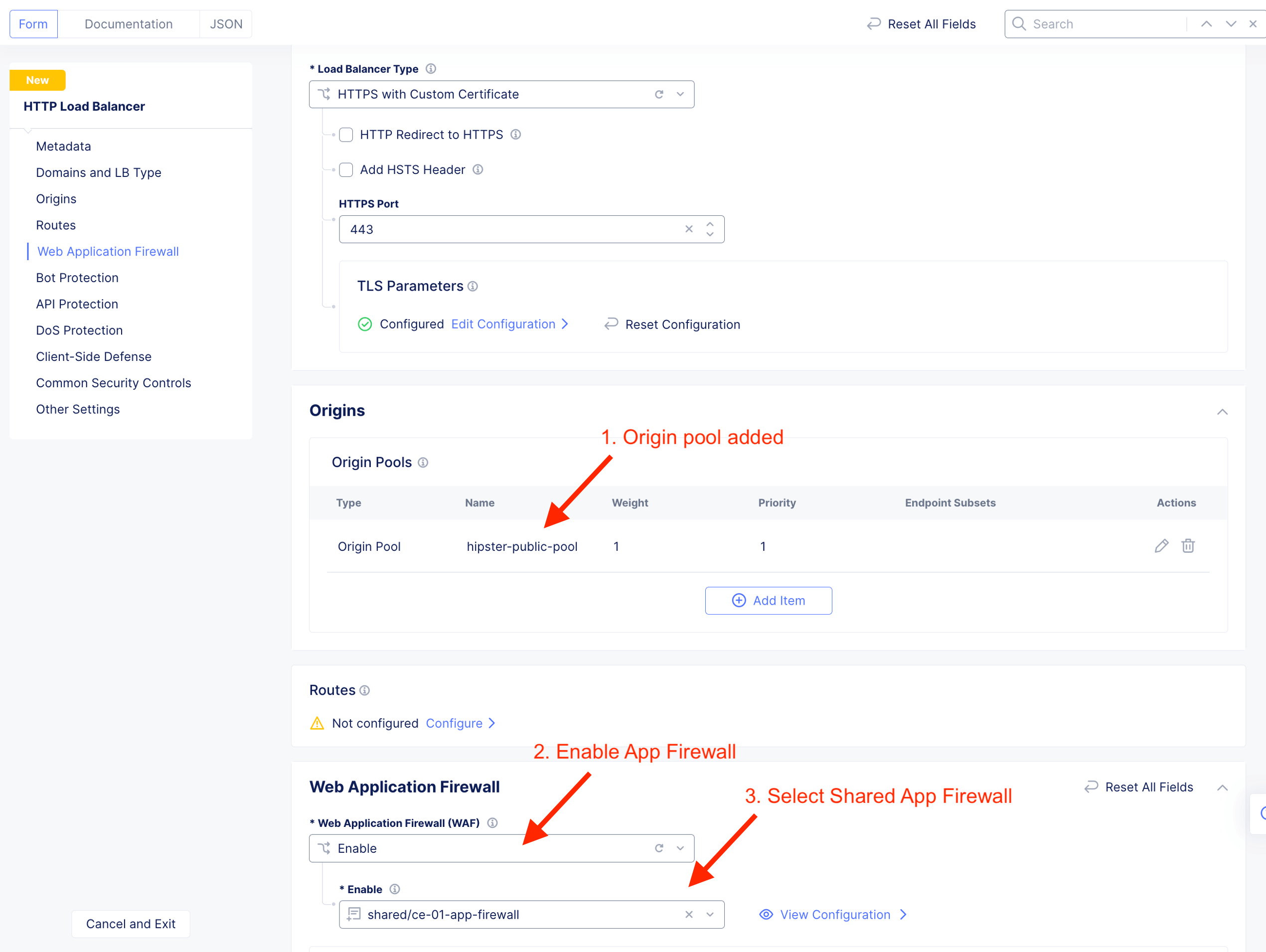
Enable and select Shared app firewall.
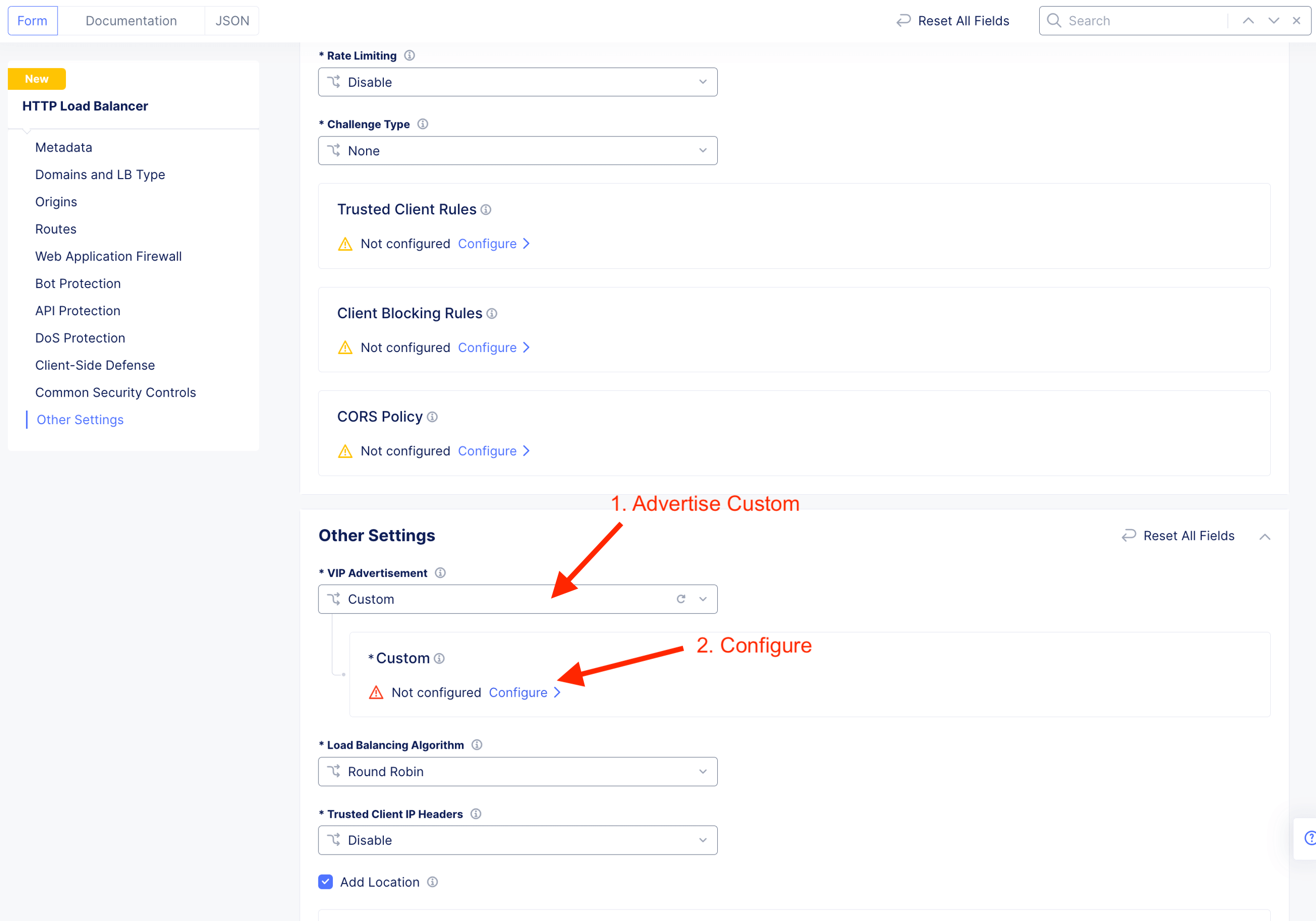
Advertise the listener on CE outside interface. Hence, select Custom
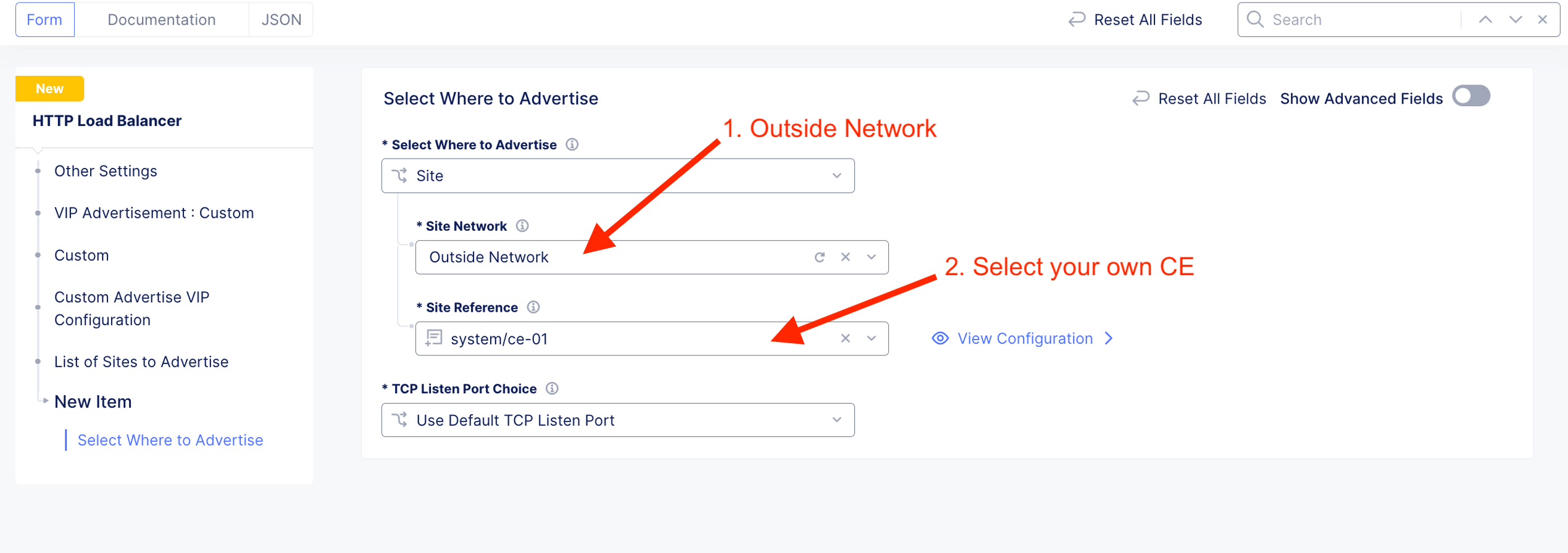
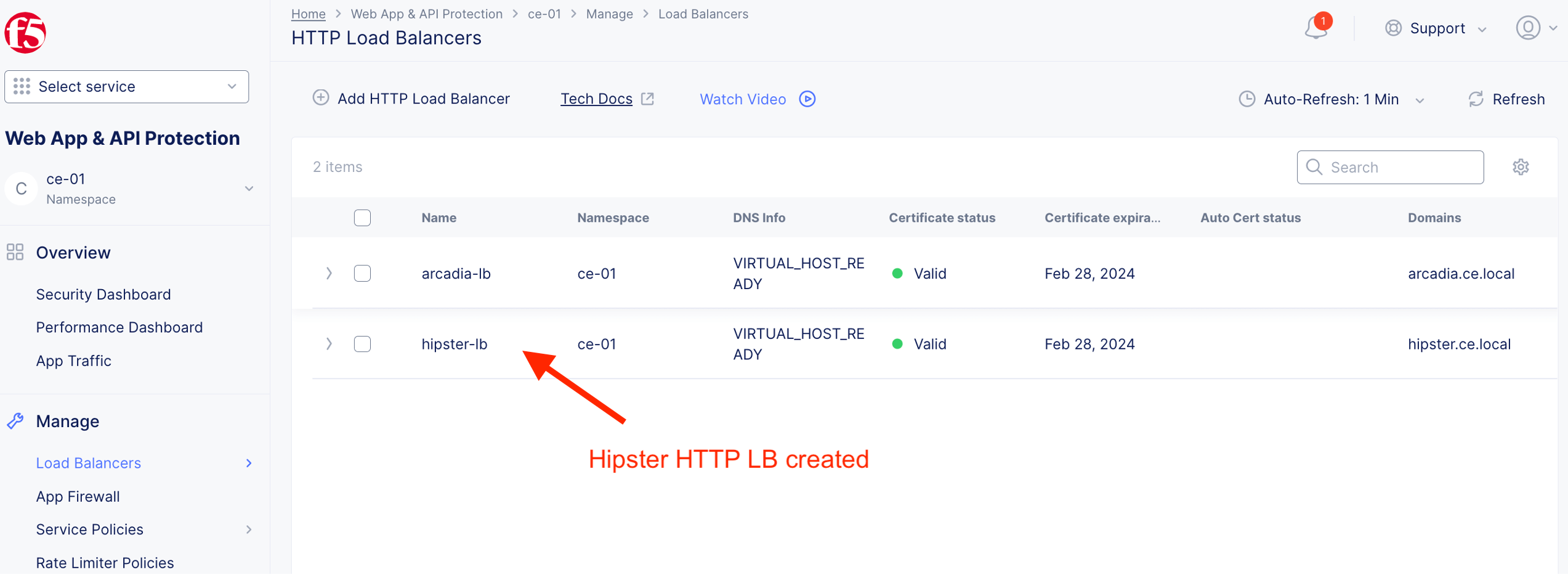
HTTP LB for hipster-lb created
Validate App Protection

Select and item and Add item to cart.
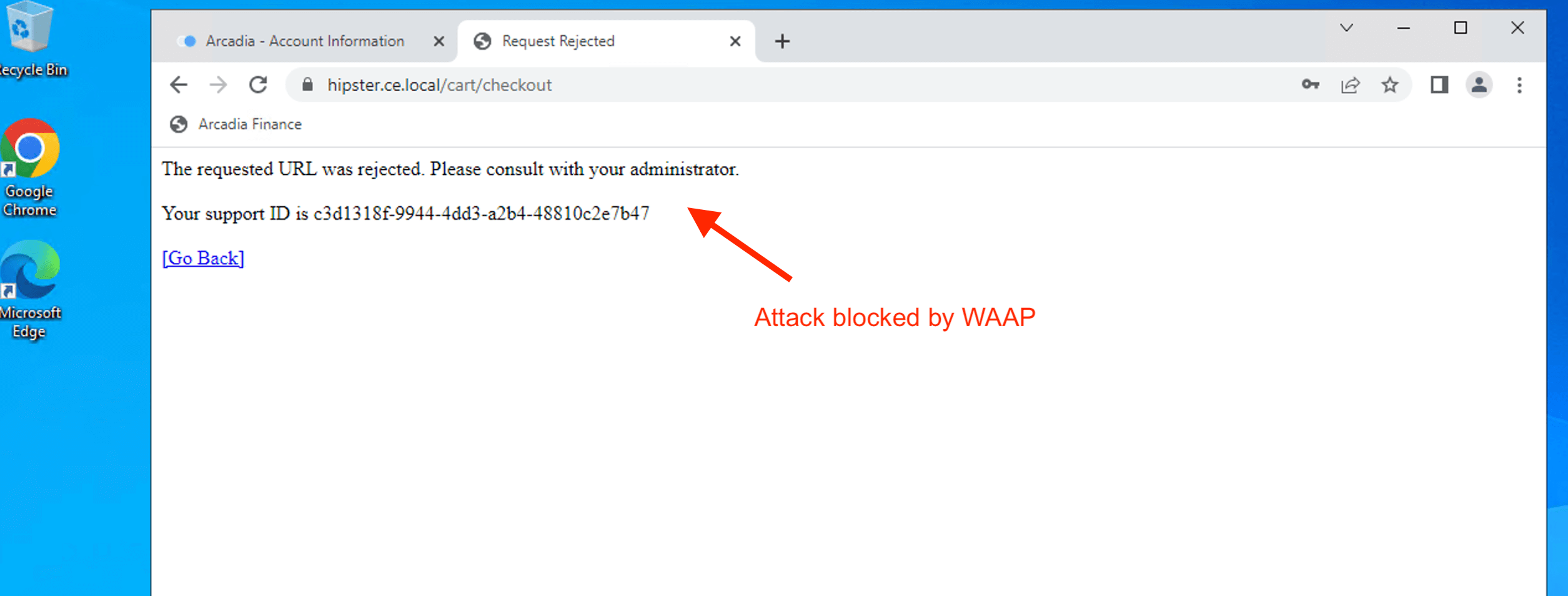
Inject SQL Injection attack vector ( ‘ OR 1=1# ) to street address field.

Attack blocked and mitigated by CE WAAP.
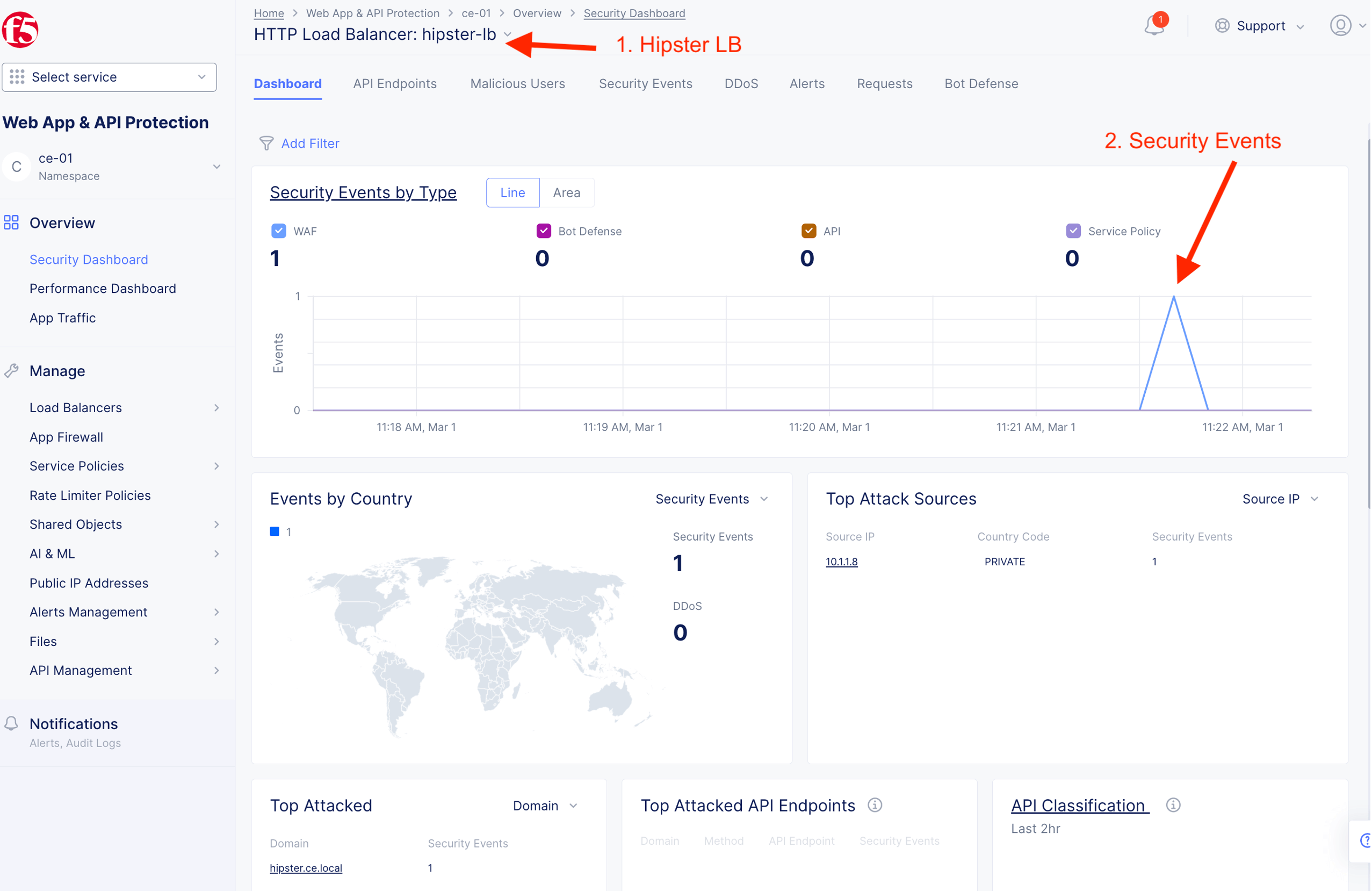
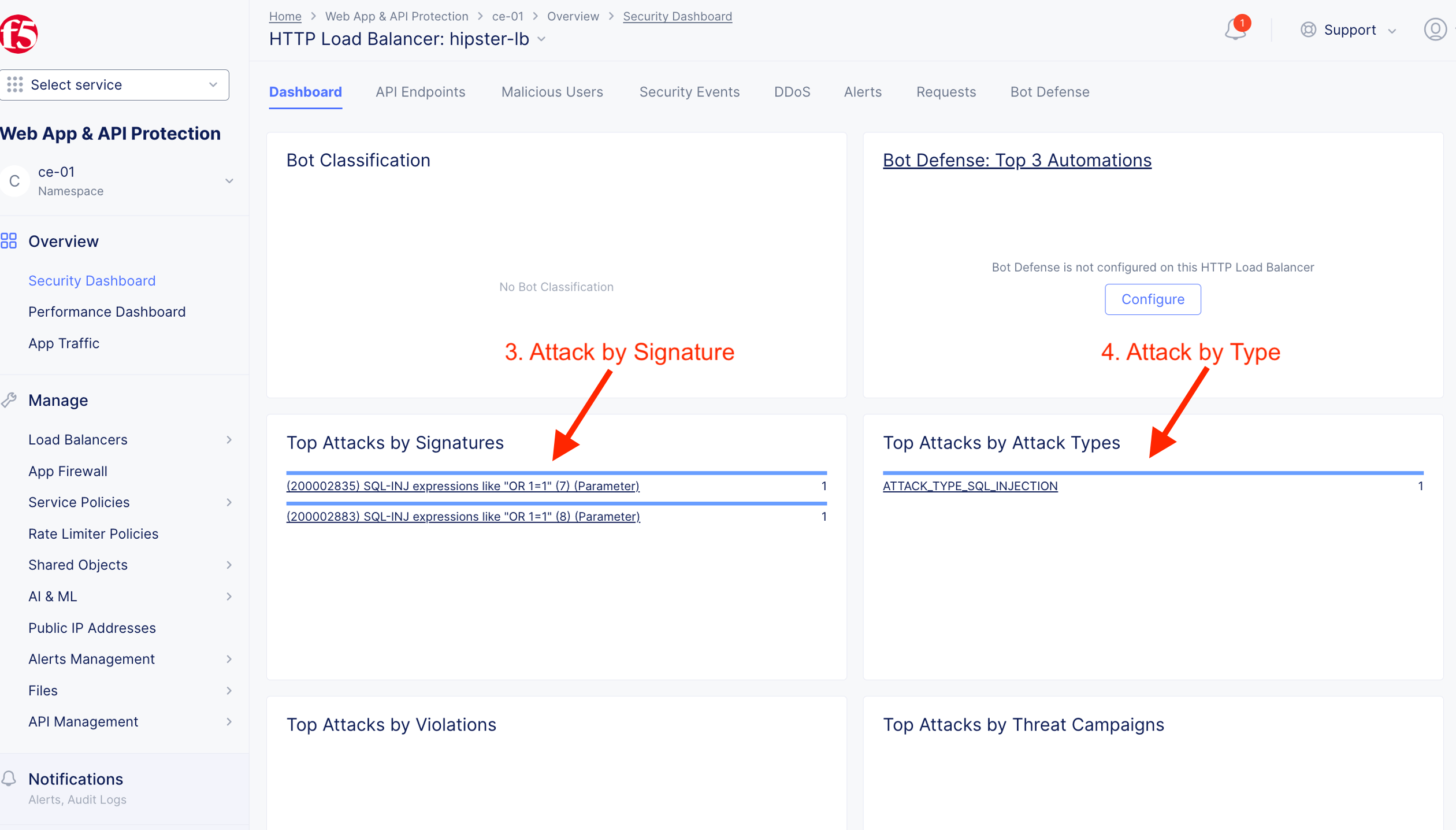
Validate detection and mitigation from F5XC Console
App#3 - Bank of XC [ Public Internet]
Warning
No instruction given for this task. You should be familiar to secure any Apps and API. Leverage your understand to execute this task. Leverage the following provided information.
| Bank of XC | Value |
|---|---|
| Protected FQDN | https://boxc.ce.local |
| Type of Origin Server | Public DNS Name of Origin Server |
| Origin Pool | https://pay.edgecnf.com |
| Origin Server Port | 443 |
| Origin Pool TLS | Enable |
| VIP Advertisement | Custom |
| Where to advertise | Outside on CE site |
Suggested sample attack vector
- /?page=test|/bin/cat%20/etc/passwd
- ‘ OR 1=1# –> SQL injection
- <script>alert(123)</script> –> Cross Site Scripting